



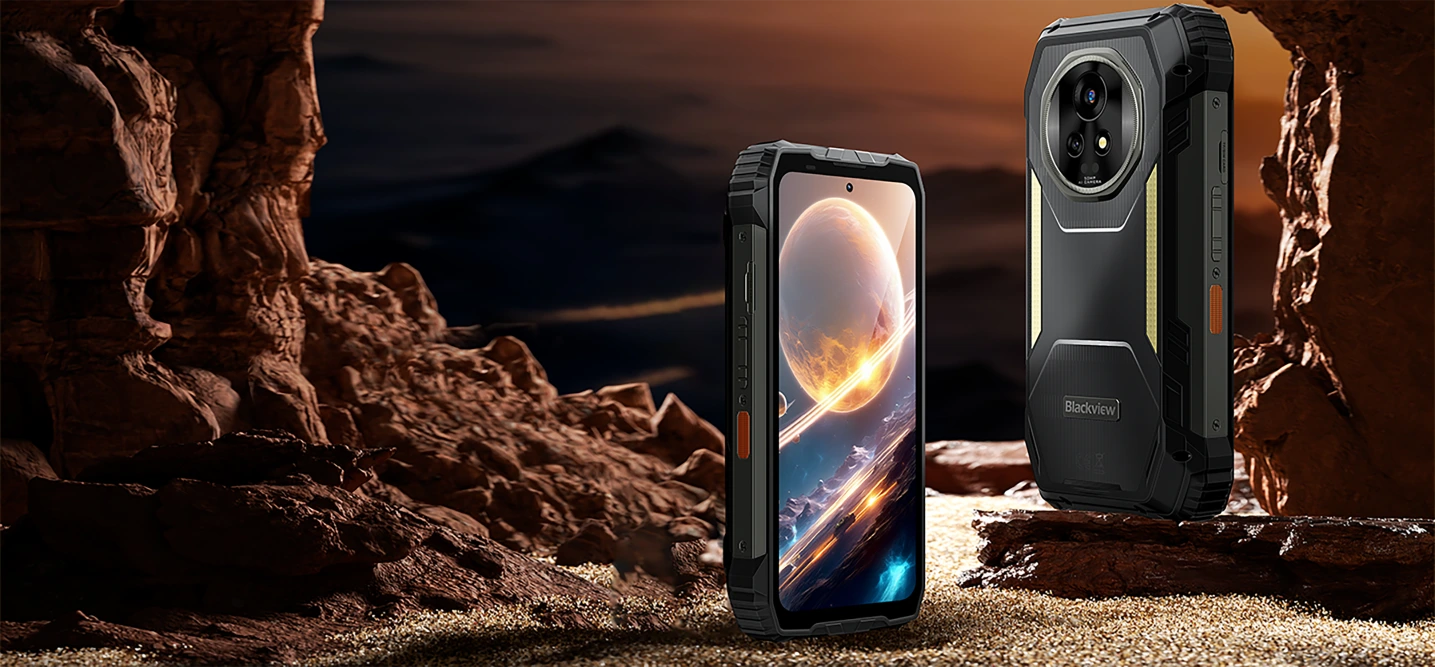
Blackview XPLORE 2 6.73インチ 3.2K AMOLEDディスプレイ 12+256GBまたは16+1TB Dimensity 8300 20000mAh 467LMキャンプライト搭載 5G AIタフネススマートフォン

急いで、在庫は2点だけです。
特徴
特徴
✔6.73インチ 120Hz 3.2K LTPO AMOLEDディスプレイ
✔内蔵467ルーメン デュアルキャンプライト
✔MediaTek Dimensity 8300 4nm 5G オクタコア & WiFi 6E
✔20000mAhバッテリー 120W急速充電対応
✔5000万画素メイン+2000万画素ナイトビジョンカメラ
✔IP68 & IP69K & MIL-STD-810H認証取得
✔eSIM対応
情報
情報
Blackview XPLORE 2は、エリートなディスプレイ品質、長時間の耐久性、そしてプロフェッショナルなアウトドアユーティリティを求めるユーザーのために作られた堅牢な5Gフラッグシップです。6.73インチの120Hz 3.2K AMOLEDスクリーン、Dimensity 8300プロセッサ、WiFi 6E、大容量20,000mAhバッテリーと120W急速充電により、仕事、ナビゲーション、メディア、旅行において強力なパフォーマンスを発揮します。50MPのメインカメラ、20MPのナイトビジョンカメラ、467LMのキャンプライト、eSIM対応、IP68&IP69Kの防水防塵性能、MIL-STD-810Hの耐久性により、過酷なフィールド環境にも対応可能です。
ブランドについて
ブランドについて
Blackviewは、優れたテクノロジーは印象的なスペックにとどまるものではないと考えています。日々の暮らしに寄り添い、現実の問題を解決し、いざというときにも信頼できるものであるべきです。
Blackviewは、過酷な環境に対応するタフなスマートフォンから始まりました。現在は、スマートフォン、タブレット、ノートパソコン、スマートウォッチ、オーディオ製品など、幅広いスマートデバイスを取り揃えています。
どのカテゴリーでも、変わらないのは、耐久性に優れた品質、実用的なイノベーション、手の届きやすい価格へのこだわりです。使い始めたその日から信頼できる製品を設計しています。
お客様が最も重視するものを理解しています。スムーズなパフォーマンス、長く続く信頼性、便利な機能、そして余計なコストをかけずに日々の暮らしをより便利にするテクノロジーです。
だからこそ、Blackviewは製品テスト、ユーザーエクスペリエンス、仕事、旅行、創作、アウトドアでの探検、日々のコミュニケーションに確かな価値をもたらす機能に真摯に取り組んでいます。
Blackviewは、信頼できるテクノロジーを求める人のために、現代の暮らしに応えるスマートで高性能なデバイスを提供します。
信頼性を第一に。実用性を大切に。毎日の暮らしのために。
配送と返品
配送と返品
• 配送:予約販売商品を除き、注文処理には通常2~7営業日ほどかかります。配送期間は、祝日および休業日を除く営業日のみを対象とします。配送日数は配送方法によって異なります。
• 返品:お届けから14日以内であれば、携帯電話が未使用で破損がなく、付属品がすべて揃っている場合に返品を申請できます。製品に関連する不具合は、検査後、購入から1か月以内であれば交換、返金、または無償修理の対象となる場合があります。ただし、誤使用、落下、水濡れ、分解、または無許可の改造による損傷は保証対象外です。


世界初の3.2K AMOLED 5G
AI搭載の堅牢フラッグシップ
頂点を目指し、野生の地へ。
6.73インチ 3.2K AMOLED 120Hzディスプレイ | HDRの美しい映像 | Samsung®製デュアル50MPカメラ+20MPナイトビジョン| デュアル手ブレ補正(OIS+EIS) | 5G 4nm Dimensity 8300 | 48GB LPDDR5X&1TB UFS4.0+最大2TB TFカード拡張 | 20000mAh大容量バッテリー&120W超高速充電
Blackviewを選ぶ9つの理由
XPLORE 2
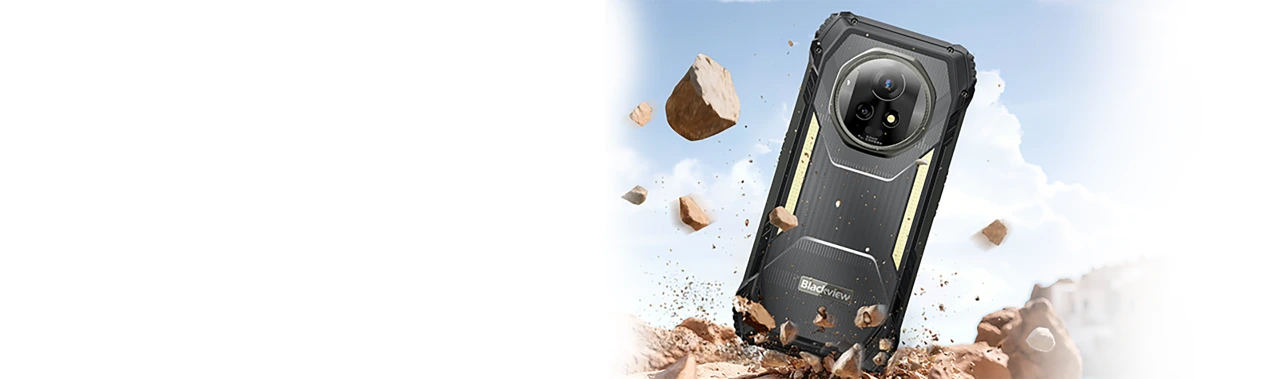
業界最高水準の耐久性
最高水準の軍用規格MIL-STD-810H
6メートルの耐落下性能 | 500kgの超高荷重に対応 | -20°C~+60°Cの極端な温度に耐える
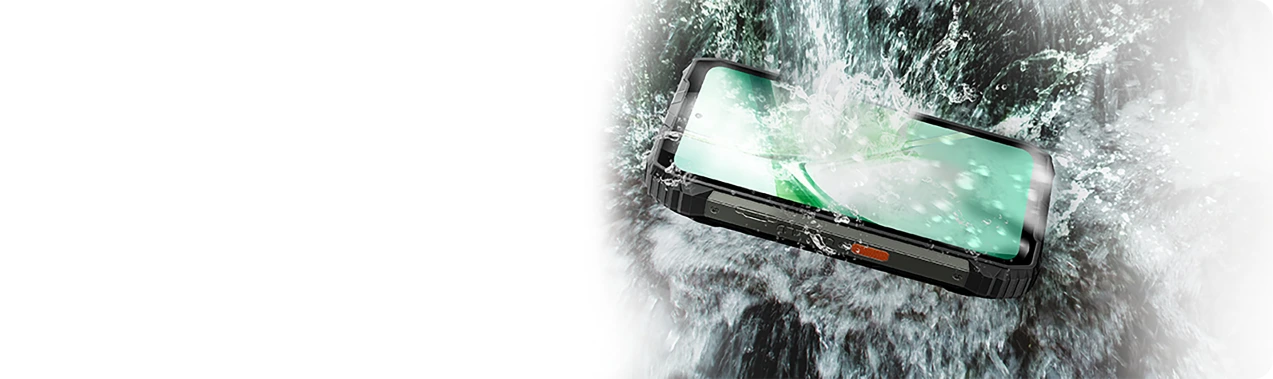
防水保護の頂点
最高水準のIP69K・IP68保護性能
ワンタップでほこり・水を排出 | AI防水タッチ| 水中撮影
水深2mで30分間の防水性能 | 80℃の熱湯に耐える
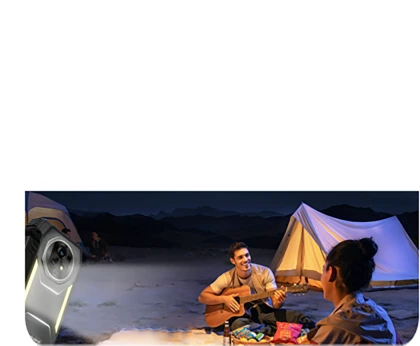
夜間の守護者
467lmキャンプライト
より明るいライト | 警告・防御に役立つ強力なストロボ | 緊急時に即時SOS信号を発信
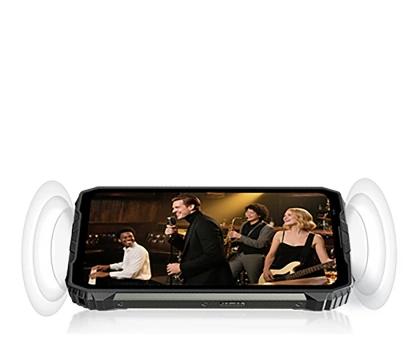
革新的なステレオサウンド
デュアル2W Smart-Kボックスステレオスピーカー
最大316%パワフルなステレオサウンドで、どこでも臨場感あふれる音を楽しめます。
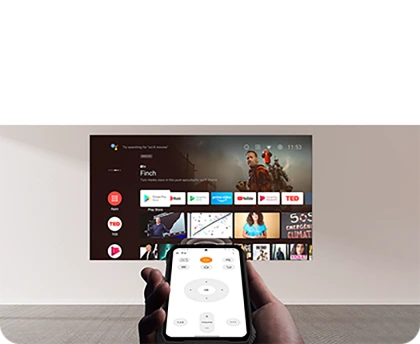
赤外線リモコン
スマートフォンが、あっという間に万能リモコンに!
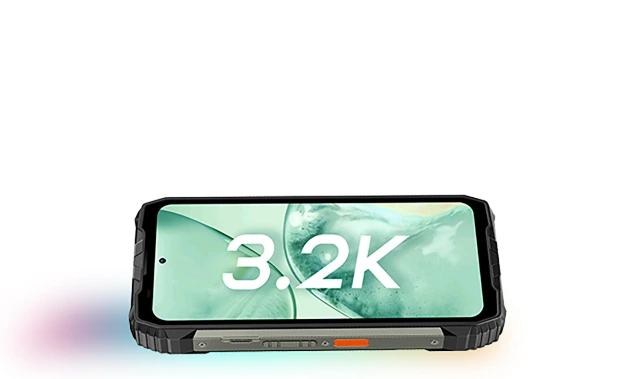
視覚の限界を超える
6.73インチ 3.2K HDRディスプレイ — クラス最高の映像美
業界最高水準のピーク輝度2600ニト | 1~120Hz LTPOアダプティブリフレッシュレート | 1920Hz高周波調光 | TÜV SÜD低ブルーライト認証
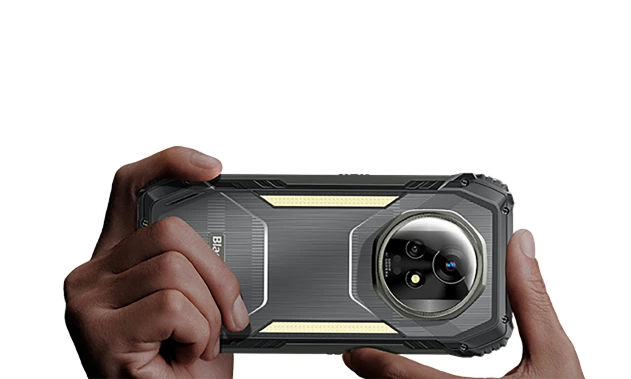
最高峰のイメージング
50MP Samsung® AIカメラを2基搭載 | 20MP ナイトビジョン | 超高精細HDR | OIS & EIS
映画のような4K HDR10+動画撮影 | モーショントラッキング | 8倍ズーム
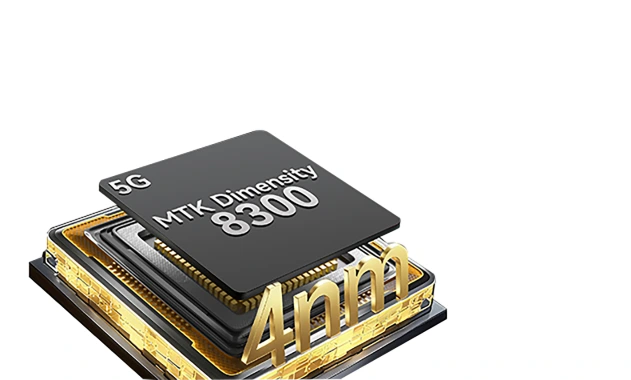
進化を極めたパフォーマンス
トップクラスの5G Dimensity 8300チップ | 16GB LPDDR5X RAM + 32GB拡張 | 1TB UFS4.0 ROM
1,339,275
AnTuTuスコア
 84%
総合性能
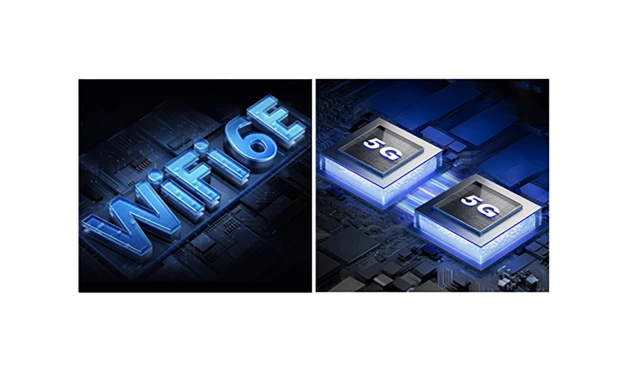
次世代の接続性
WiFi 6E + デュアル5G対応
3倍の高速化
すぐに読み込み、途切れずストリーミング。
真のグローバル接続
業界初
eSIM対応の堅牢スマートフォン
ローミング料金を最大90%節約 | 物理SIMカード不要 | 通信事業者を自由に切り替え
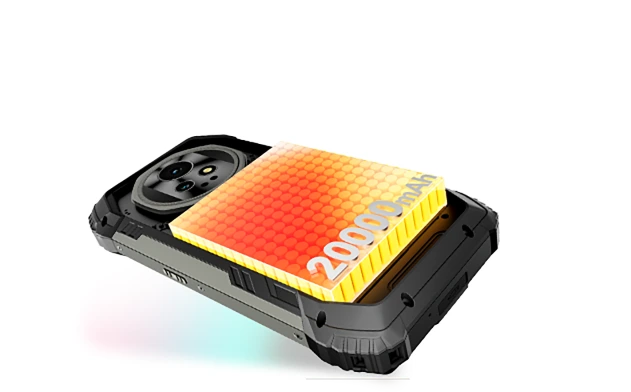
バッテリーの王者
史上最大容量のタフネススマートフォン用バッテリー
20,000mAh大容量デュアルセルバッテリー | 最大75日間の超長時間待機 | 120Wハイパー急速充電 | 10Wリバース充電
業界唯一の自社開発
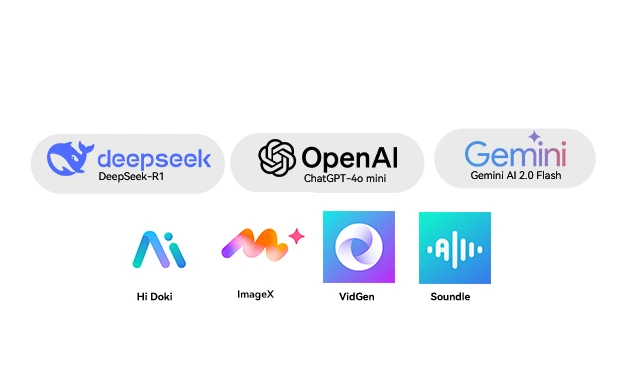
世界トップ3のAIモデルを、すべて1つに。
声紋認証とハンズフリー操作
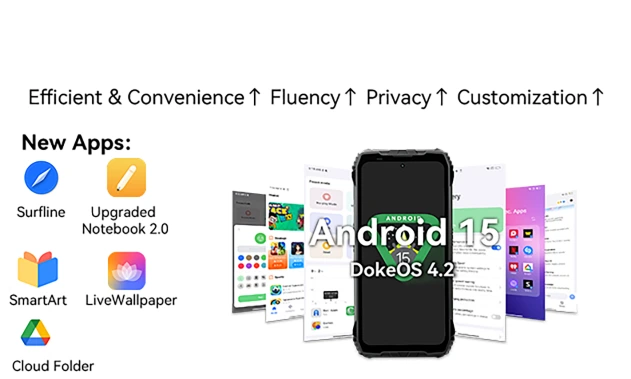
業界唯一の自社開発
Android 15ベースのまったく新しいDokeOS 4.2
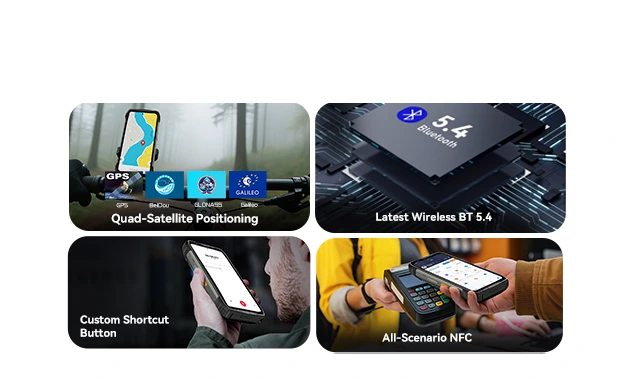
あらゆるシーンに対応するスマートなアップグレード
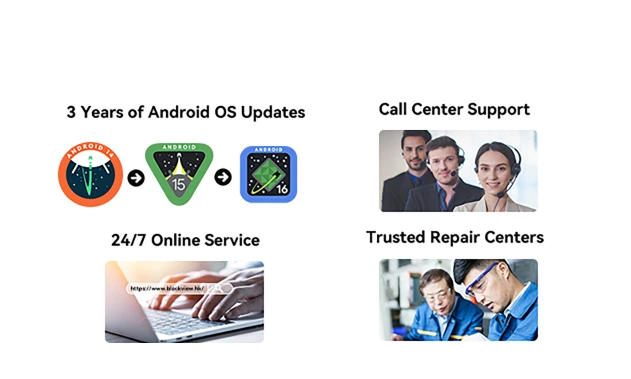
業界唯一のアフターサービス保証
タフさの新定義
最高水準の堅牢性保護
業界最高水準の堅牢性認証
軍用規格MIL-STD-810HおよびIP68/IP69K認証を取得したXPLORE 2は、落下、ほこり、水、圧壊から究極の保護を実現し、堅牢性の新たな基準を打ち立てます。

6メートル
真の耐落下性能
あらゆる角度から、どんな表面にも、最大6メートルの高さからの落下に耐えます。1

IP6X
真の防塵性能
砂、ほこり、産業用微粒子から完全に保護します。

IPX9K
真の防水性能
高温・高圧の噴流、水しぶき、水没にも耐えます。

MIL-STD-810H
真の耐圧壊性能
極度の圧縮や衝撃、過酷な環境に耐えます。
業界最高水準の耐久性
あらゆる方向から守る強さ
内側も外側もかつてないほど強化され、落下、圧壊、極端な温度にも耐えます。
6メートル
耐落下性
次世代の耐落下性能
1.5メートル
落下試験
垂直落下にも耐える
500kg
耐荷重
超高負荷に耐える2
-20°C~+60°C
極端な温度
幅広い動作温度範囲
以下の過酷なテストで実証

超堅牢な設計
業界初
ArmorShield構造
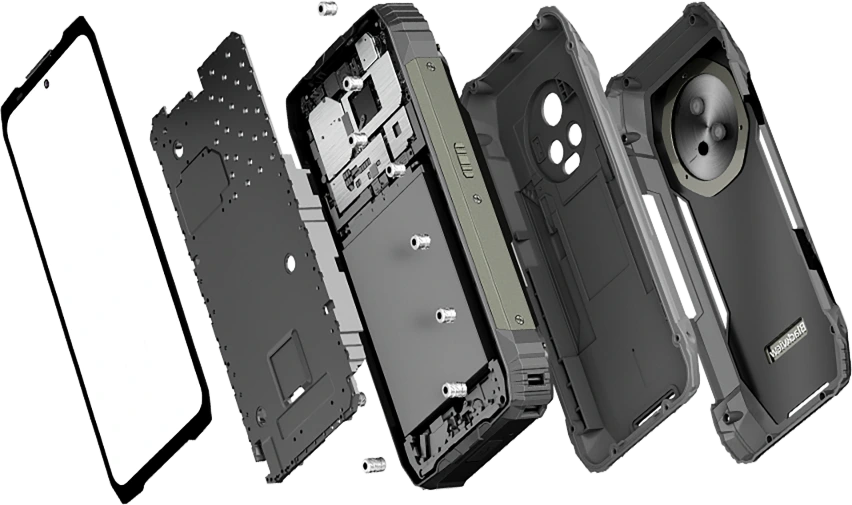
XPLORE 2は、Gorilla® Glass 5と航空機グレードのAl-Ti合金で強化された5層ArmorShield設計を採用し、全方位の耐久性を実現します。
5層
ArmorShield
構造
4隅
強化
保護
400%
高い耐衝撃性
耐性3
防水保護の頂点
最高水準のIP69K保護性能
IP69KおよびIP68認証を取得し、熱湯、絶え間ない高圧噴流、多角度からの散水、長時間の水没にも耐えます。
80℃
熱湯にも耐える
10000 kPa
工業用高圧噴流にも耐える
0° / 30° / 60° / 90°
全角度からの噴流水に対応
水深2mで30分間
深水没にも対応4
1,000,000回以上
水没試験済みの信頼性
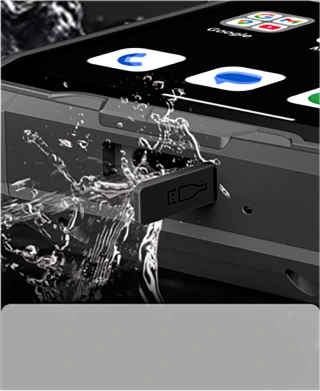
デュアル防水USBポート
カバーなしでも水に強く、密閉すれば二重に保護します。
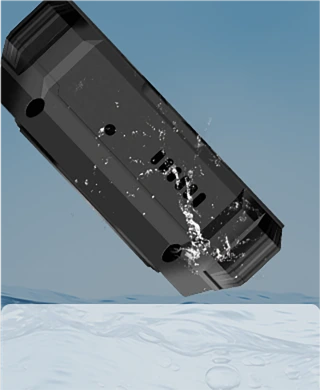
ワンタップでほこり・水を排出
ワンタップでスピーカーの水を排出し、通話音声をクリアに保ちます。5
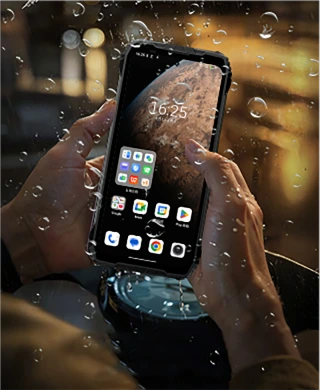
AI防水タッチ
激しい雨の中でも、画面はスムーズに反応します。6
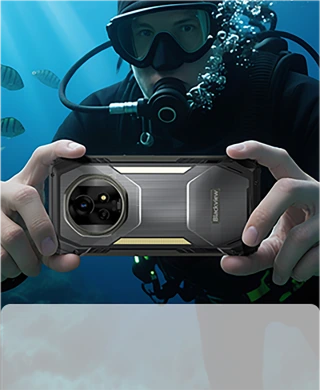
水中撮影
水しぶきから水中撮影まで、手軽に水の中の世界を捉えられます。
夜間の守護者
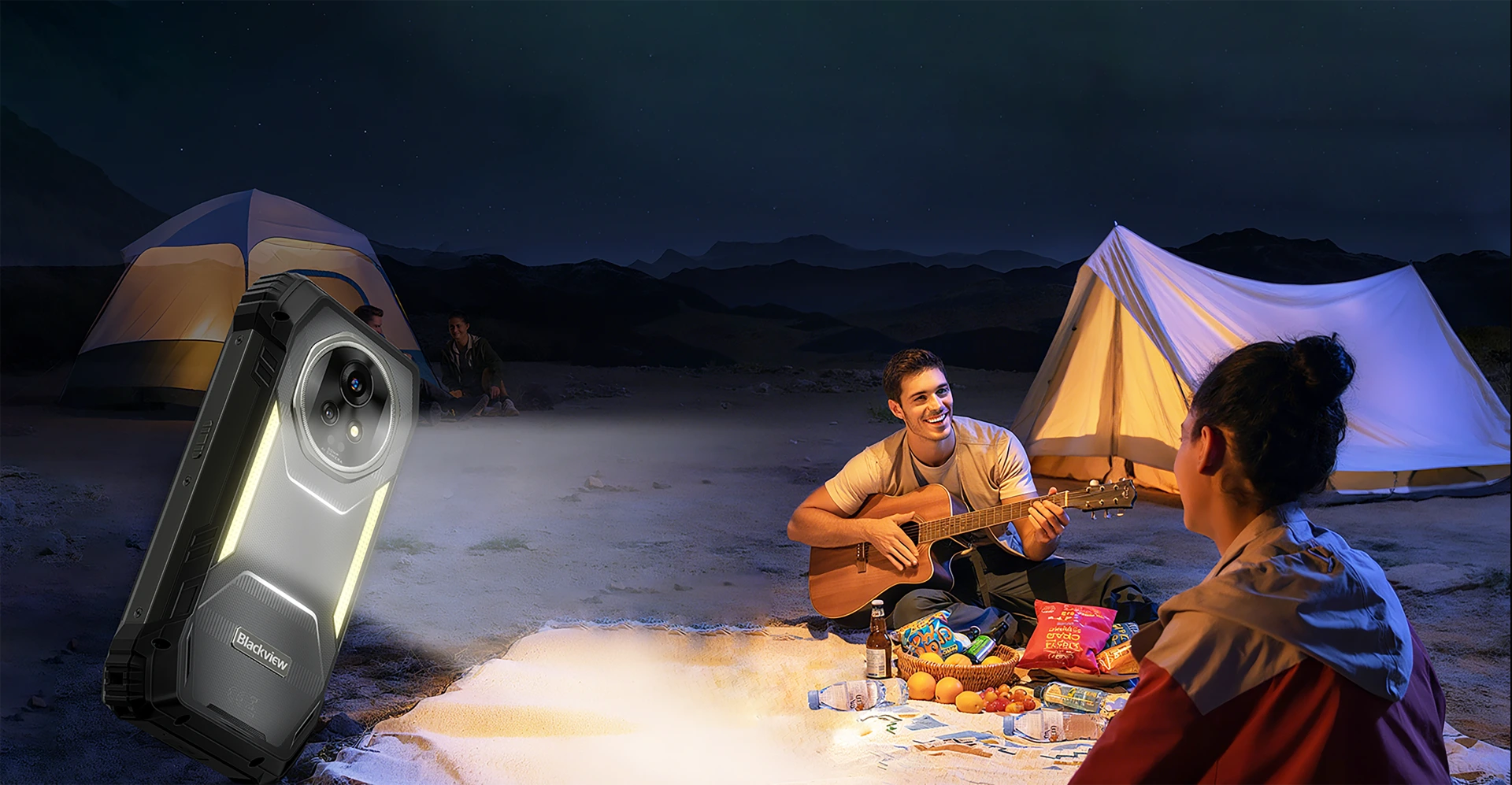
467lmキャンプライトで、野外をより明るく安全に
夜になると、XPLORE 2の467lmキャンプライトが暗闇を安全な明かりで照らします。キャンプ場でも停電時でも、万全の備えと安心を届けます。
赤外線リモコン
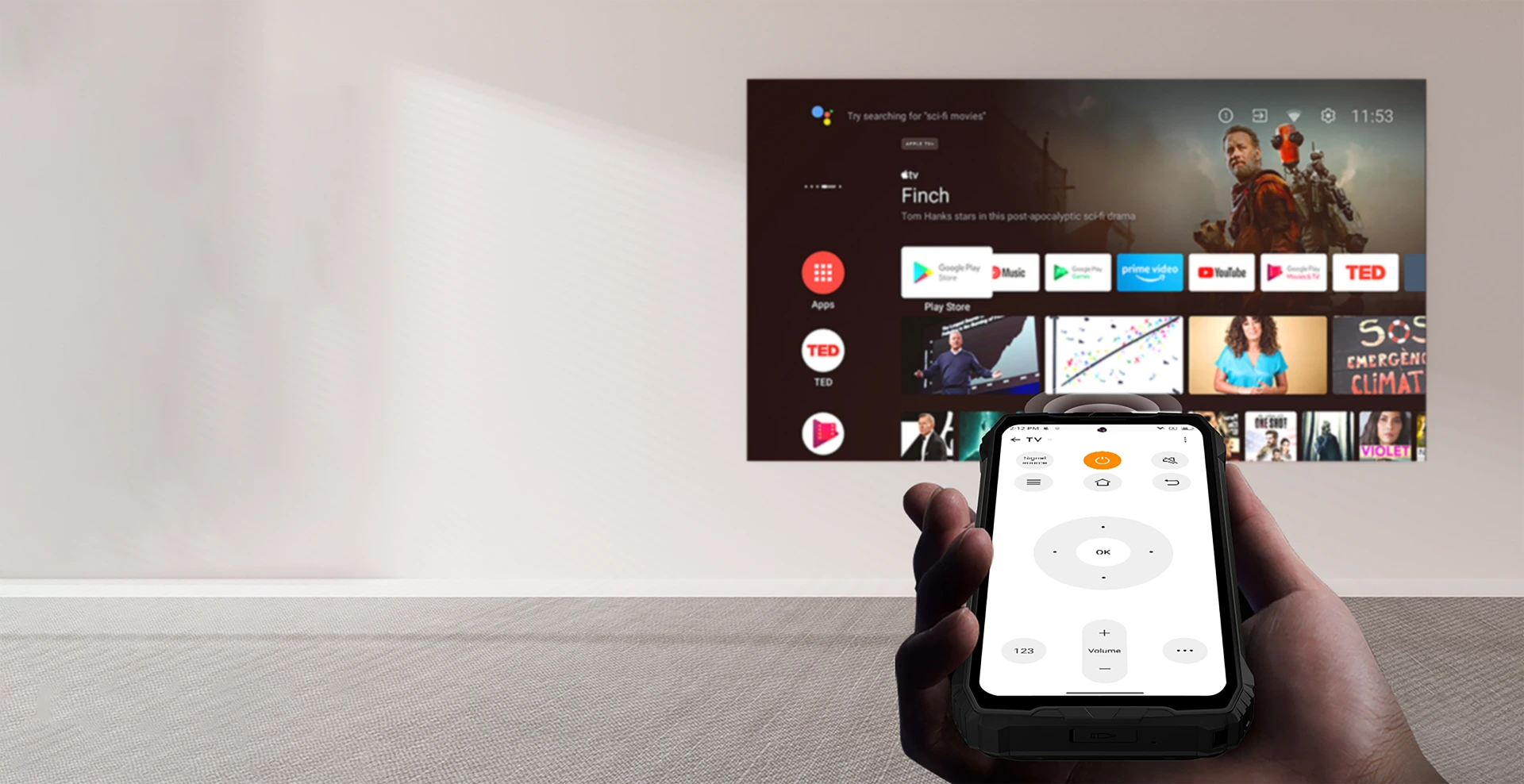
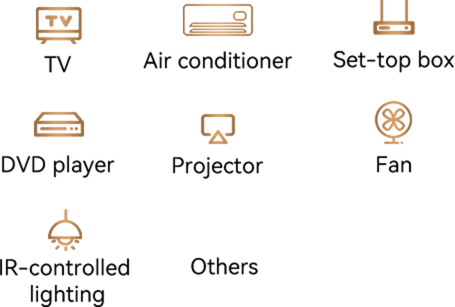
スマートフォンが、あっという間に万能リモコンに!8
革新的なステレオサウンド
デュアル2W Smart-Kボックスステレオスピーカー
最大316%パワフルなステレオサウンドで、どこでも臨場感あふれる音を楽しめます。9
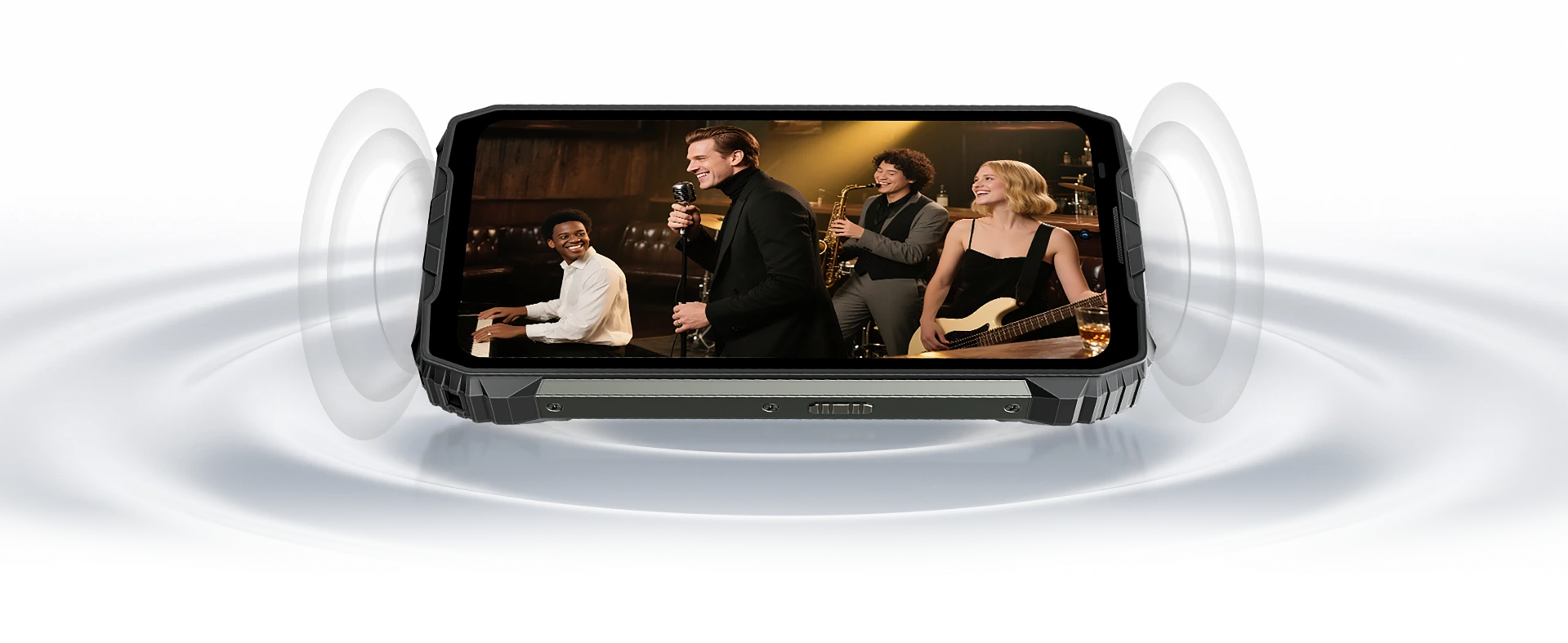
5dB
音量アップ 10
+50%
よりクリアなサウンド11
視覚の限界を超える
ディスプレイ
鮮やか
自然な色合い
HDR
コントラストとディテールを強化
プロ仕様の色精度
コントラストとディテールを強化
2600ニト
業界最高クラスのピーク輝度12
6.73インチ
フラッグシップAMOLEDディスプレイ
521 PPI
高精細な画素密度
常時表示ディスプレイ
時刻と通知をひと目で確認
DCI-P3
シネマ級広色域13
687億色
自然な色合い
10,000,000:1
超高コントラスト比
1~120Hz
LTPO可変リフレッシュレート14
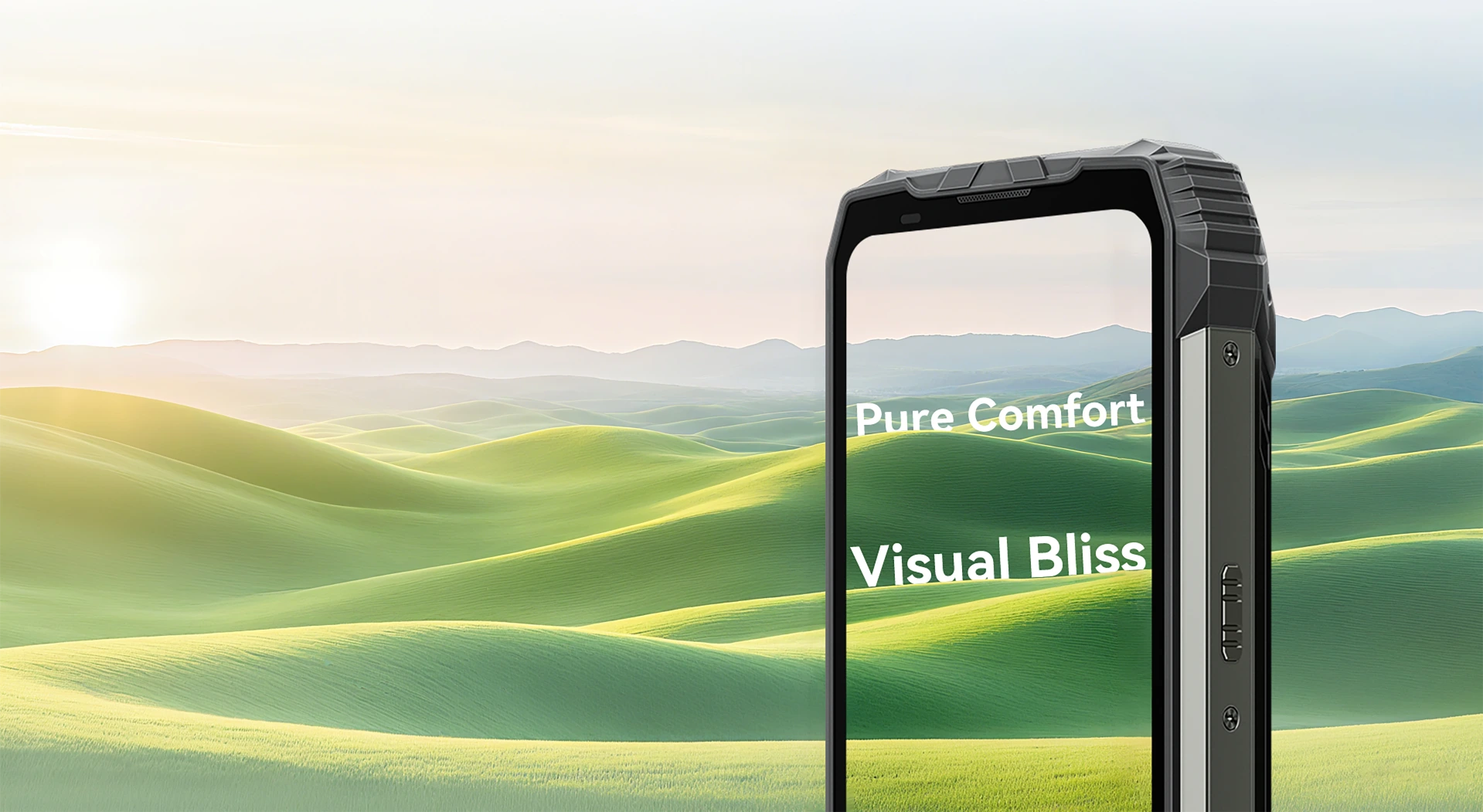
ディスプレイ
疲れを軽減
快適に


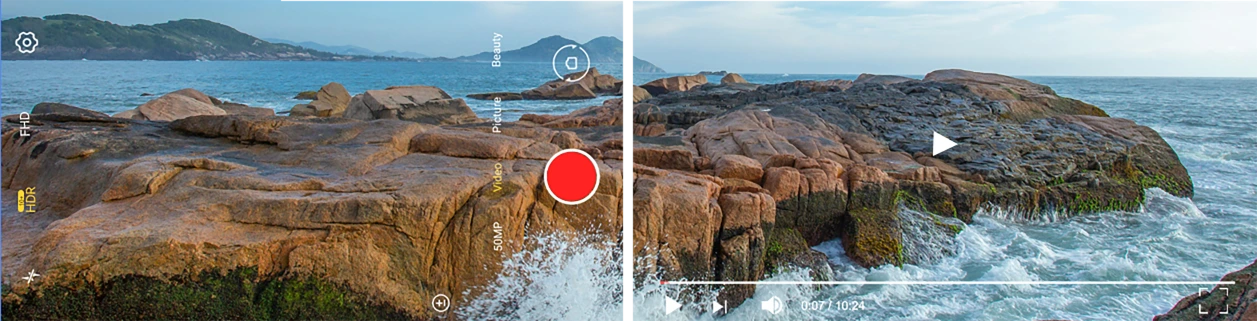
Full-Link HDR
圧巻の映像美から超ダイナミックな撮影まで、Full-Link HDRが実物さながらの輝きを実現し、あらゆるディテールを余すことなく捉えます。
最高峰のイメージング
より鮮明で安定した撮影
50MP Samsung® GN9 フラッグシップメインカメラ
遠くの景色から動きのある一瞬まで、すべてを細部まで捉えます。
1/1.57"
大型センサー
f/1.88
夜景をより明るく
6P
超シャープな鮮明さ


クラス最高のディテール
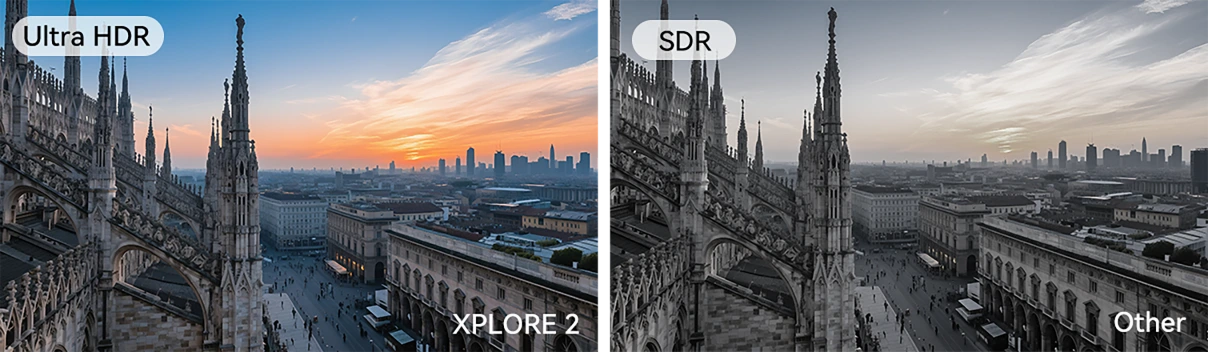
超高精細HDR撮影、ディテールが3倍に15
灼熱の地平線から薄暗い小道まで、野生の世界を細部まで鮮明に。影もハイライトも色彩も、かつてないほど生き生きと描き出します。
業界をリード
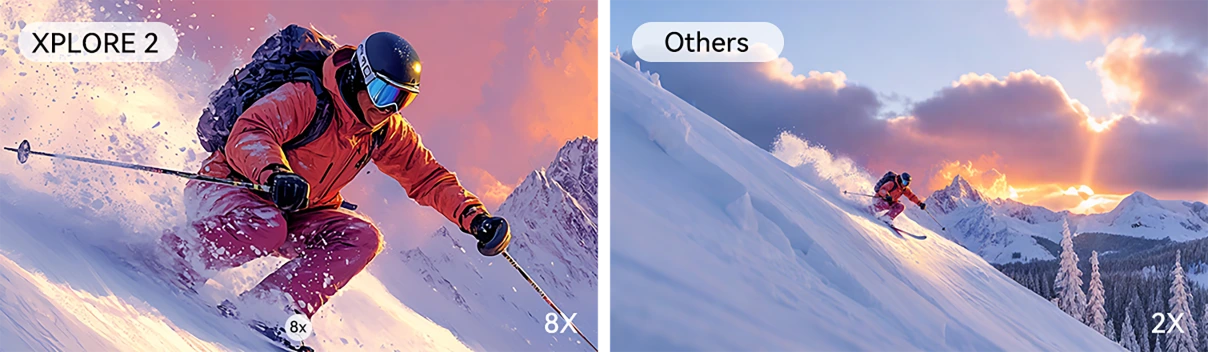
8倍ズームでも超高精細
遠くの景色も、鮮明なディテールと安定したフォーカスで間近に感じられます。
50MP Samsung® JN1 フロントカメラ
まぶしい日差しの下でも薄暗い場所でも、鮮明で明るく自然な自撮りを撮影できます。

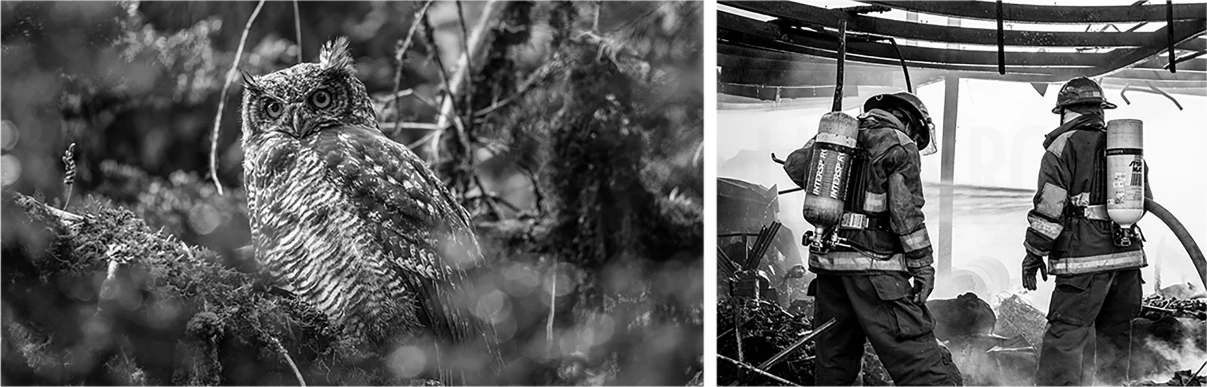
次世代ナイトビジョン
20MP Sony®ナイトビジョンカメラ
安全点検から救助活動まで、完全な暗闇でもはっきり見えます。
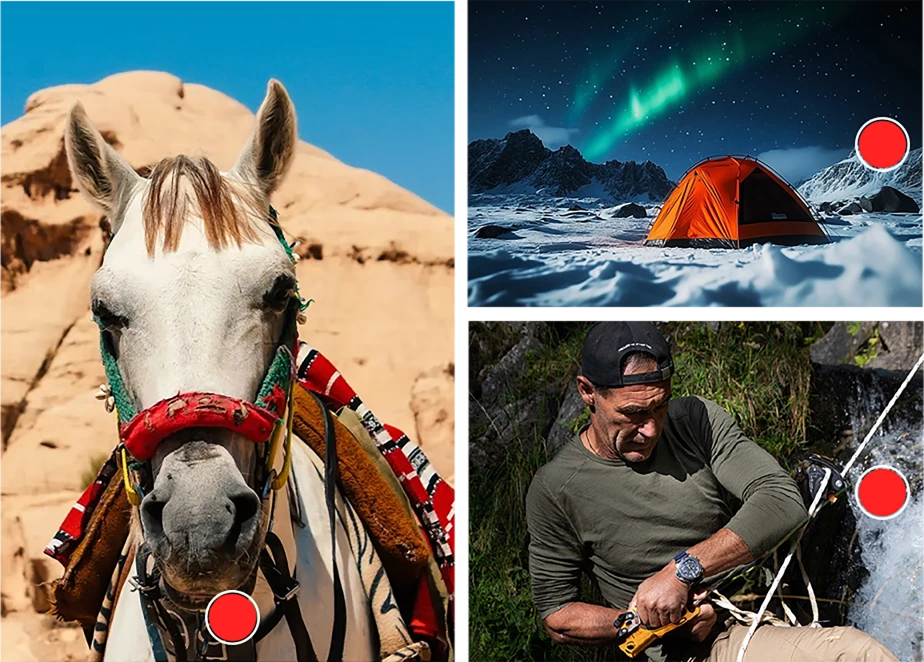
プロ仕様の動画
シネマティック4K HDR10+
60FPSで、驚くほど鮮明なディテール、鮮やかな色彩、リアルなコントラストを撮影。風景からプライベートな映像まで、すべてのショットが映画のような物語を描きます。
よりスマートな撮影ツール

AIの実力

オールインワンAI  画像編集
ワンクリックで写真を美しいビジュアルに変身。編集がこれまでになく簡単に!
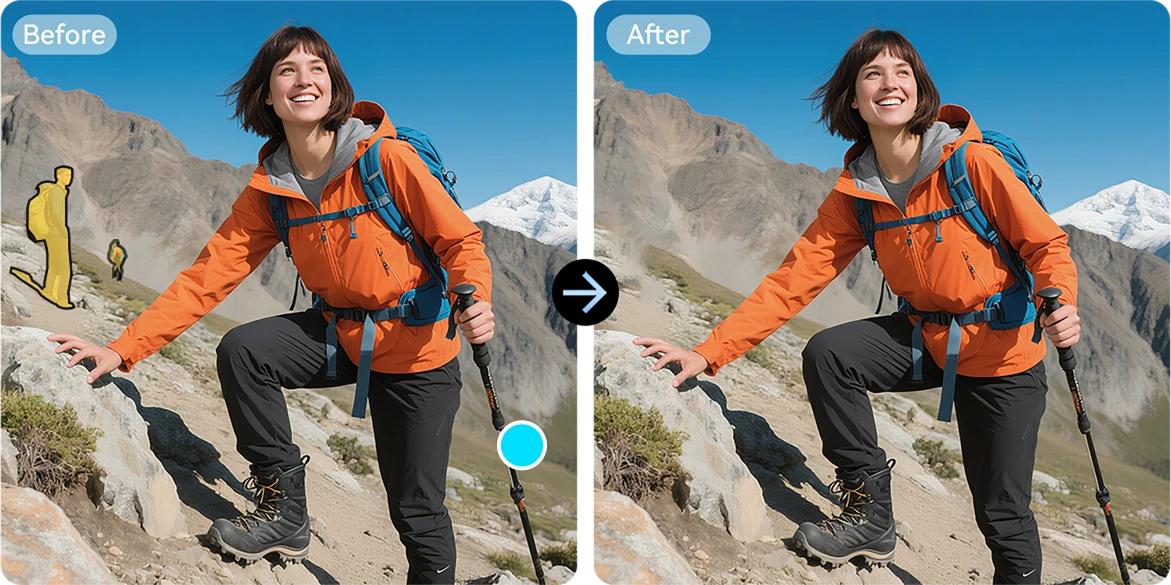
AI オブジェクトを削除
気になるものを、手軽かつ正確に消去。
AI アウトペインティング
境界をスマートに広げる。
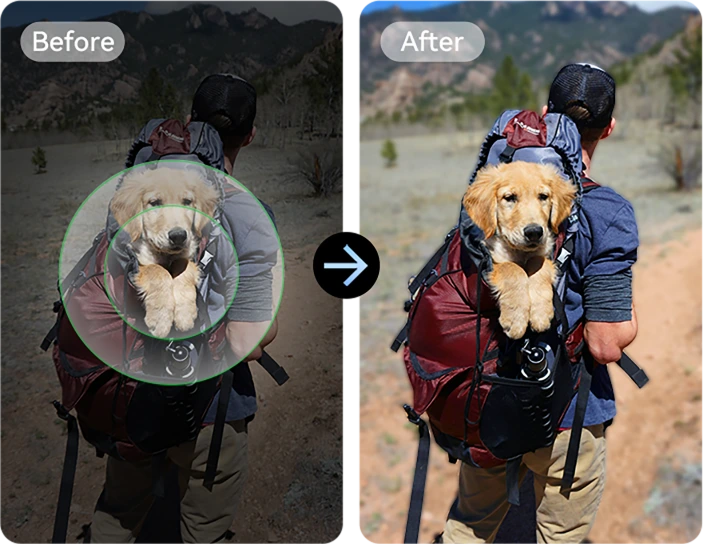
AI 写真をぼかす
スマートなぼかしで、大切なものにフォーカス。
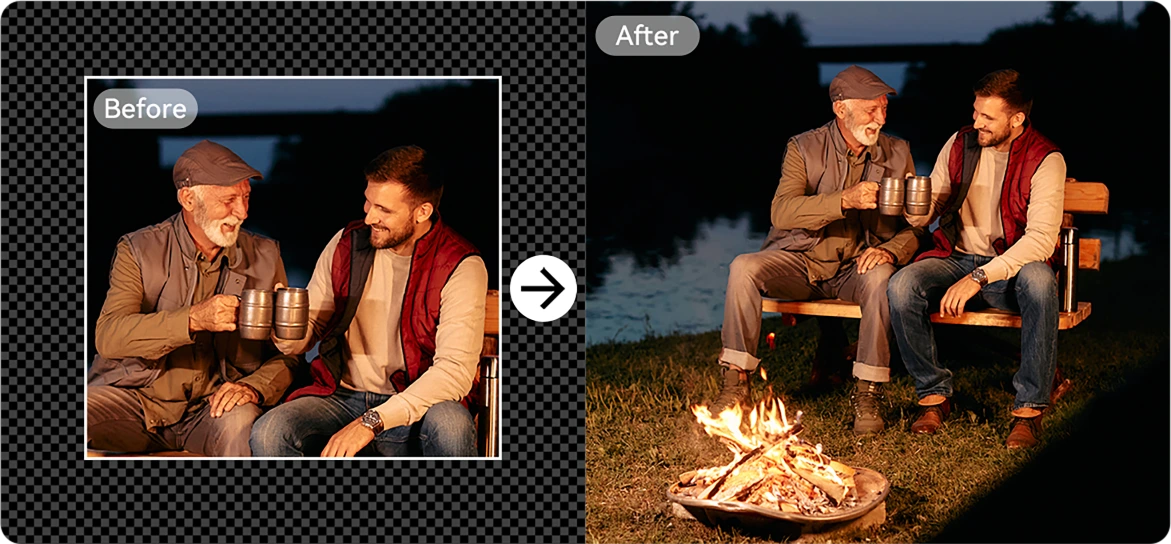
AI 背景を置き換え
背景を変えて、シーンを自由に変身させよう。
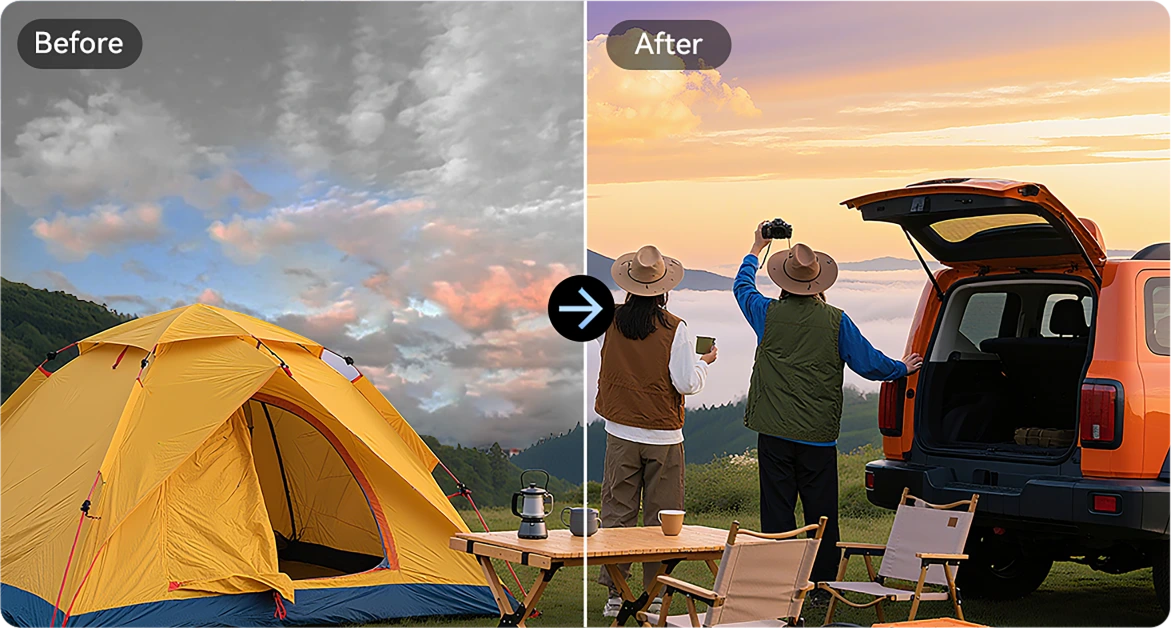
思い出をよみがえらせる
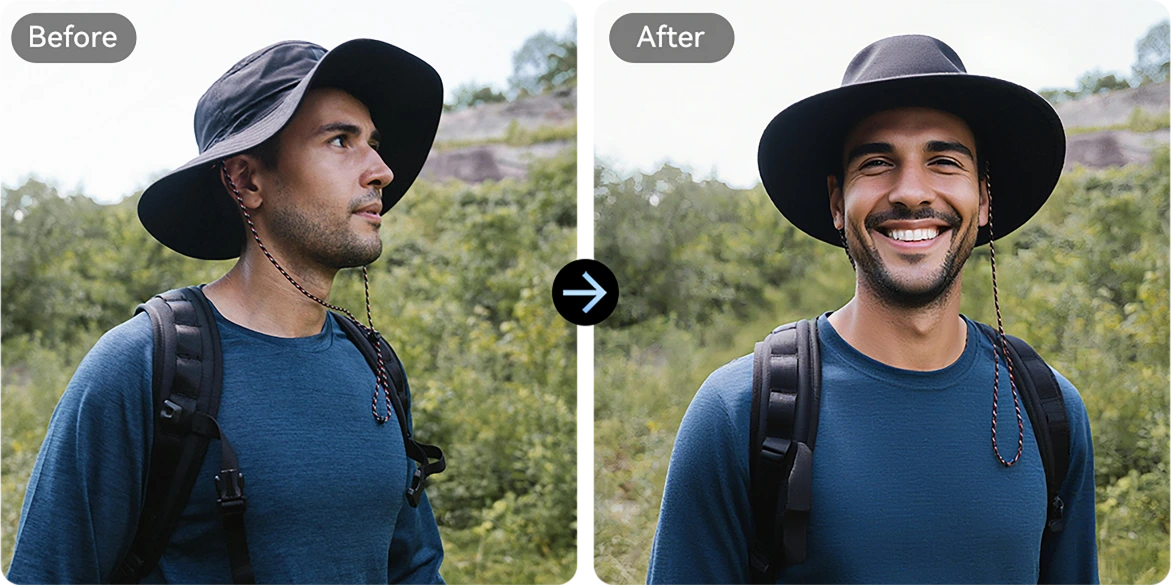
AI アニメーション化
写真に命を吹き込もう!顔に動きを加えて、思い出を生き生きと躍らせよう
進化を極めたパフォーマンス
次世代のパフォーマンス
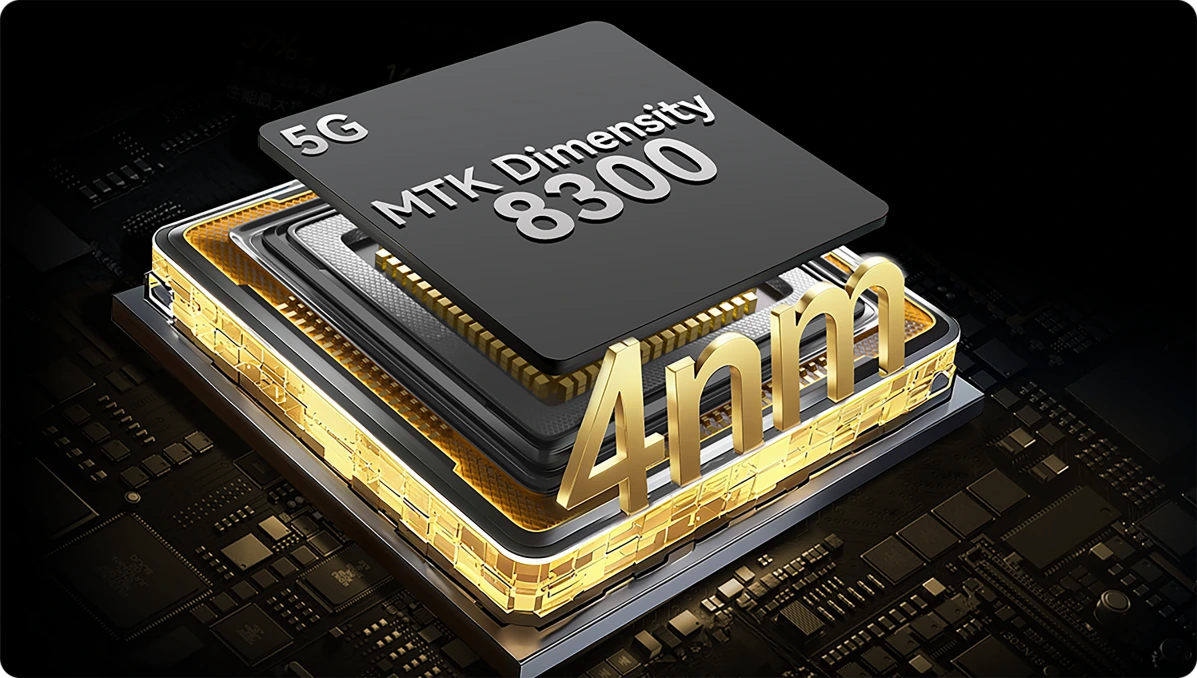
ハイエンド5G 4nm MediaTek Dimensity 8300
4nmプロセスで製造され、最大3.35GHzで動作するXPLORE 2は、長時間のゲームプレイや負荷の高いマルチタスクも、フラッグシップ級の滑らかさでこなします。
40%
高速CPU16
30%
強力なGPU17
84%
総合性能18
1,339,275
AnTuTuスコア
メモリ性能を最大限に
最大48GB RAM
(16GB物理RAM + 32GB拡張)
最大48GBのRAMとAtomized Memory 2.0を搭載したXPLORE 2は、高速な応答、シームレスなマルチタスク、遅延のないパフォーマンスを実現します。
2X
データ転送が高速19
45%
アプリの起動と切り替えが高速20
22個のアプリ
スムーズなマルチタスク、遅延なし21
LPDDR5X
高速RAM

ストレージを高速化
1TB ROM + 最大
最大2TBのTF拡張
1TBのUFS4.0 ROMに加え、最大2TBのTF拡張に対応。XPLORE 2なら、高解像度マップやドローン映像から救助活動用ファイルまで、現場でもすぐにアクセスできます。
2X
大容量ストレージ22
2.3倍
読み書き速度がさらに高速23
UFS4.0
超高速ストレージ
1TB + 2TB TF拡張 = すべて保存

次世代の接続性
WiFi 6E + デュアル5G対応
WiFi 6Eとデュアル5Gで、一歩先へ。より速く、よりスムーズに、真のグローバル接続を実現。
3倍の高速化
すぐに読み込み、途切れずストリーミング。24
6GHz + 5GHz + 2.4GHz
トライバンドWiFi。より速く、より強力に。
上り最大2.5Gbps | 下り最大5.11Gbps
超高速アップロード&ダウンロード25
デュアル5G対応
真のグローバル接続
性能をフルに発揮
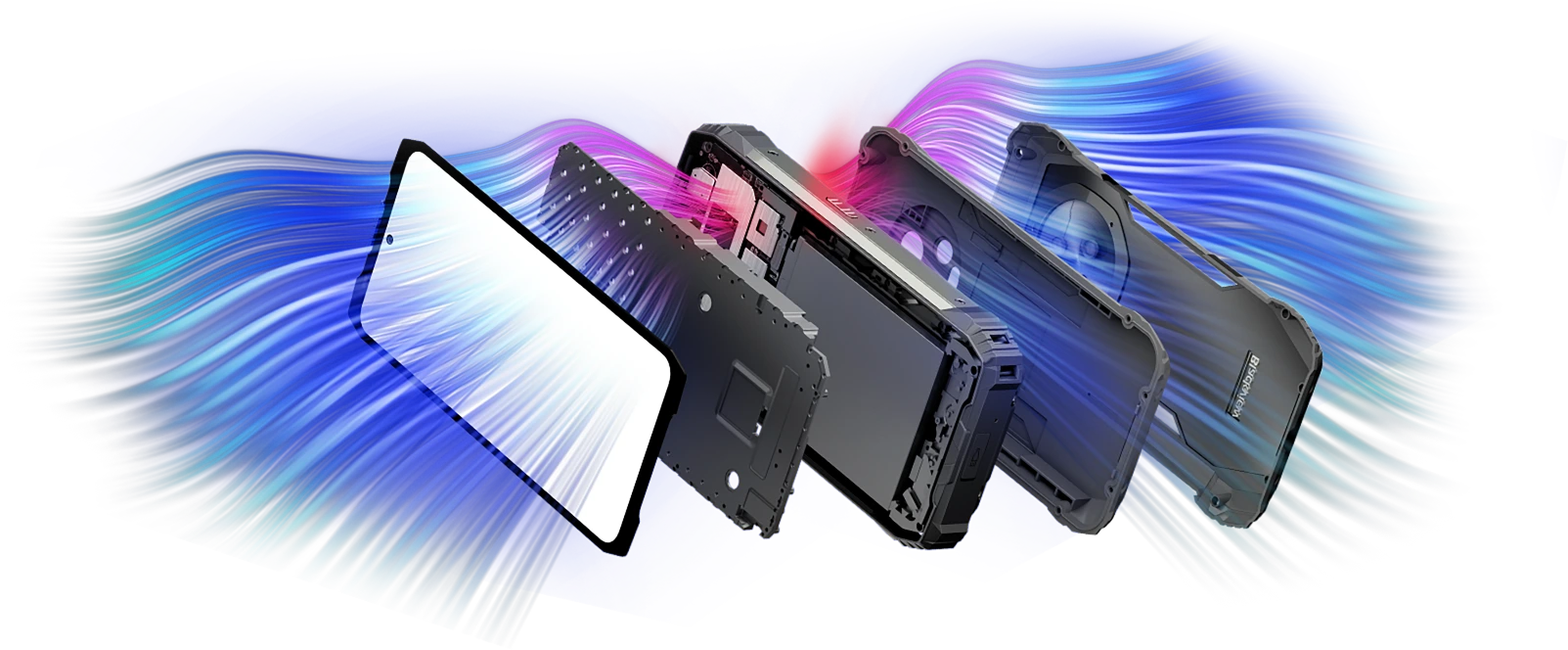
3-in-1高効率冷却システム
先進の冷却設計で、激しいゲームプレイ中も、5G動画の連続視聴中も、一日中の屋外作業中も、涼しさを保ちます。
グラファイト + 銅 + シリコン
3つの素材で、すばやく熱を伝達
2,262.8 mm²の放熱面積
より速い放熱で、ピーク性能をより長く維持
日常使用時は37°C未満
いつでも涼しく、安定したパフォーマンス
業界初
eSIM対応タフネススマートフォン
通信における世界的な革命!
グローバル通信を、よりシンプルに、よりお手頃に!

通信費を節約:ローミング料金を最大90%削減!
手間を省く。物理SIM不要で、自由にキャリアを切り替え!
つながり続ける。安定した電波で、いつでもオンライン!
いつでもどこでも、つながり続ける!
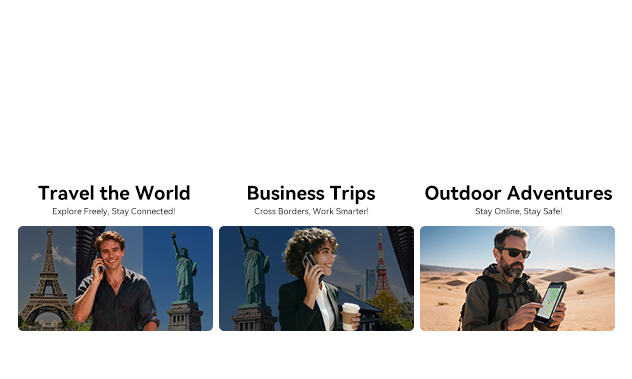
世界を旅する
自由に旅して、つながり続ける!

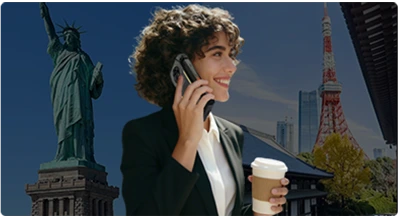
出張
国境を越えて、スマートに働こう!
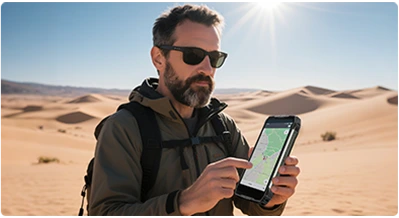
アウトドアアドベンチャー
いつでもオンライン、安全をキープ!
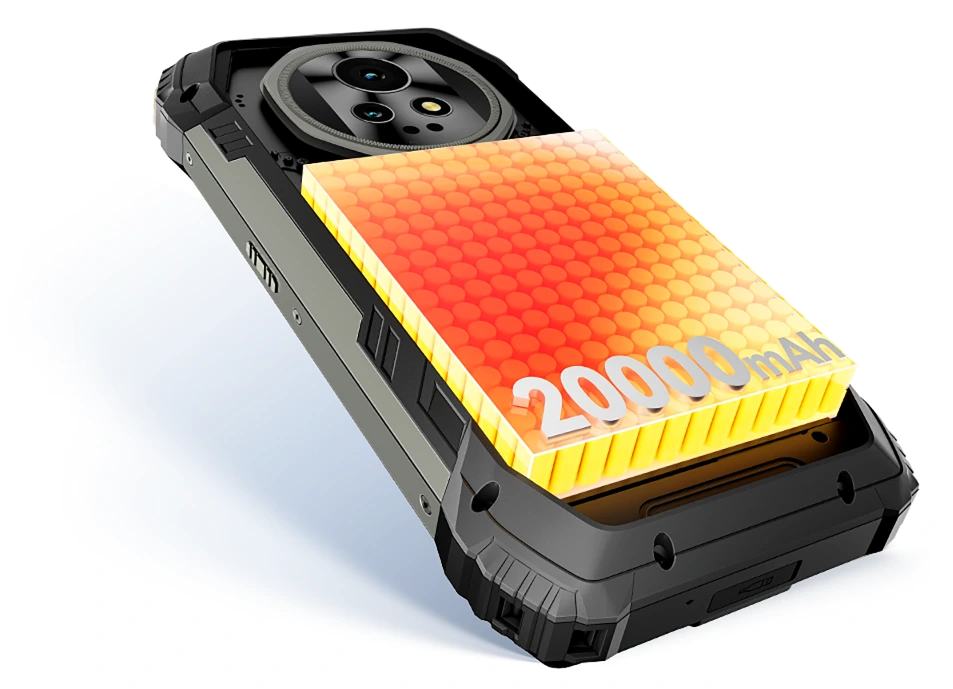
バッテリーの王者
20,000mAh大容量デュアルセルバッテリー
5000mAhのスマートフォン4台分に相当。圧倒的なパワーで一日中使えます。
AI電力管理


1.6倍
より長持ち26
36時間以上
ヘビー使用27
23時間以上
ゲーム
24時間以上
ウェブ閲覧
166時間以上
通話
10時間以上
ライト連続点灯
75日間
待機
クラス最速
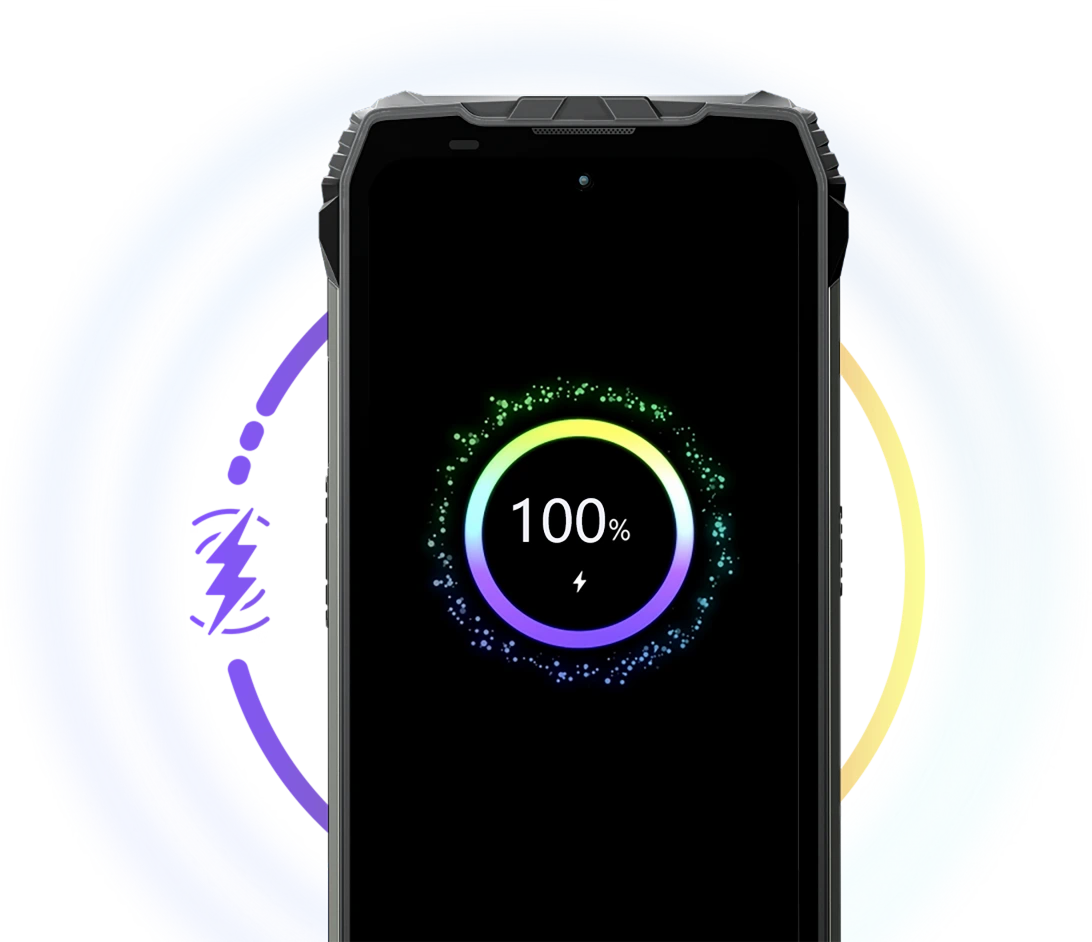
120Wハイパー急速充電
39分で50%、117分で100%。いつでもすぐに使えます。28
118% さらに高速
充電
待ち時間ゼロ。パワー全開。29
10Wリバース充電
いつでもどこでも、電力をシェア。

業界唯一の自社開発



音声で使えるインテリジェンス
Gemini AI 2.0
よりスマートに。より速く。声で操作。XPLORE 2なら、どこにいてもハンズフリーで思いのままに操作できます。
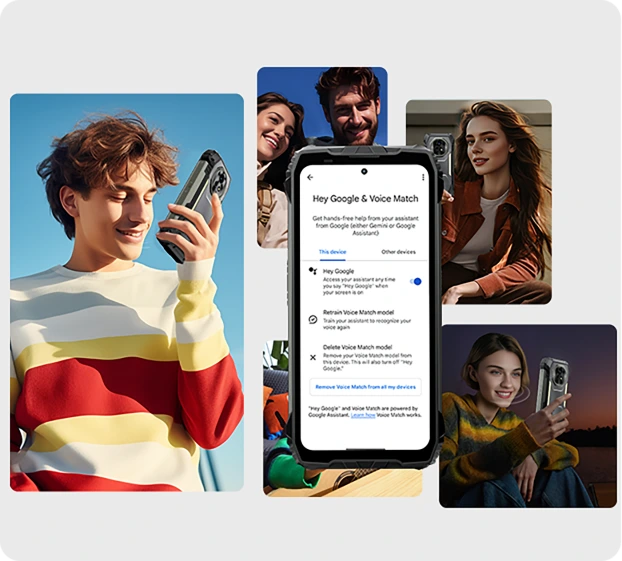
声紋認証とハンズフリー操作
声だけでロック解除や操作が可能。安全でハンズフリー。
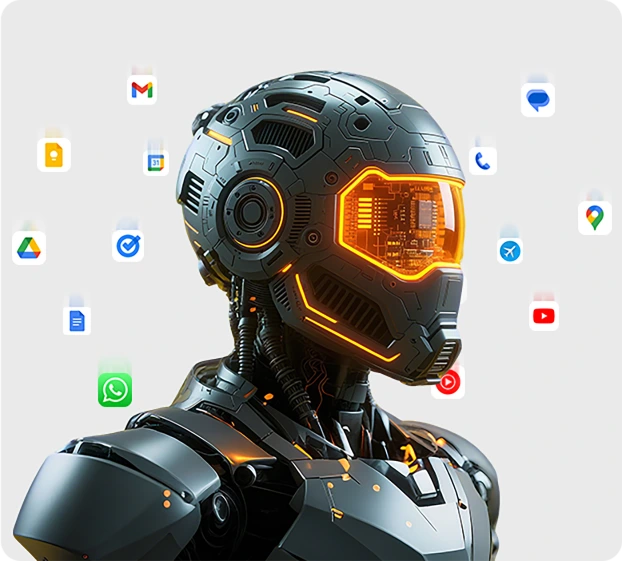
グローバルスマートコントロール
1つの音声で、アプリも設定もまとめて操作。
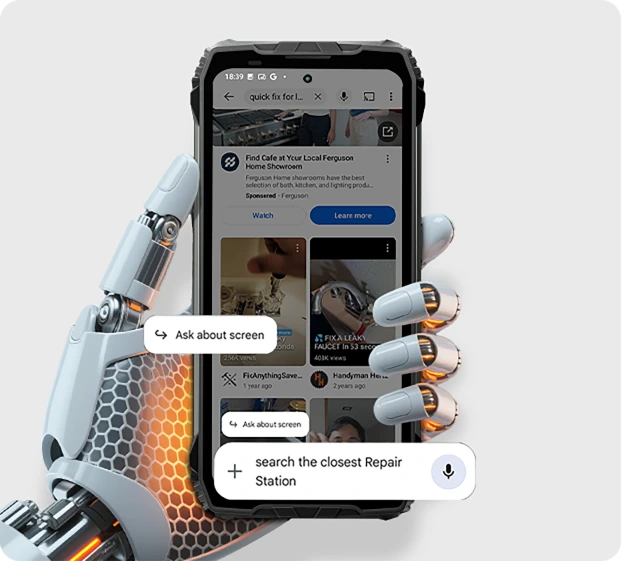
全画面アシスタンス
どこにいても、画面上ですぐにサポート。
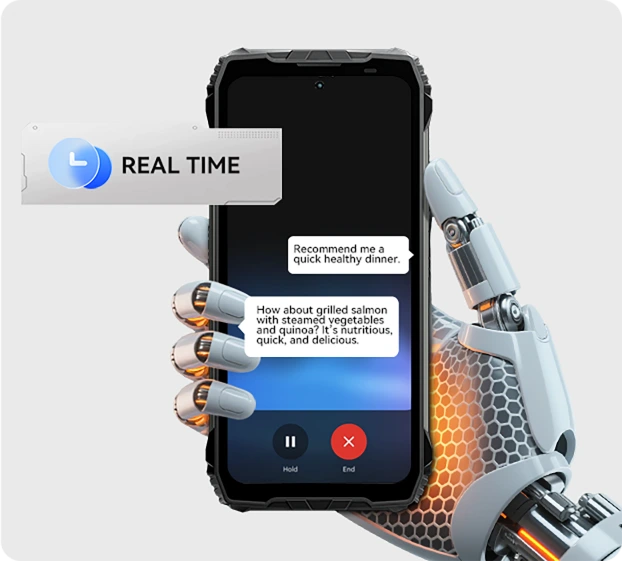
リアルタイムのやり取り
どこにいても、自然な会話でつながります。
業界唯一の自社開発AIスイート
Hi Doki | ImageX | VidGen | Soundle
4つのアプリで、無限の創作を。制限なく、書いて、編集して、撮影して、作曲できます。30
業界唯一の自社開発
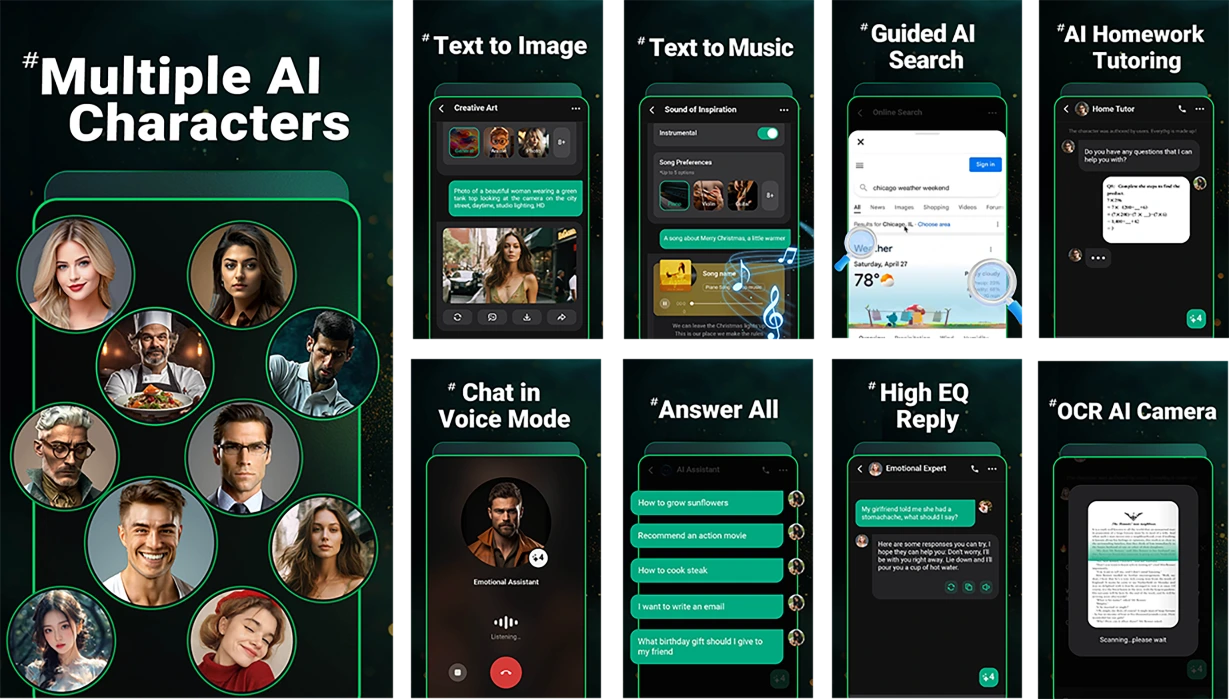
Hi Doki
AI検索、文書分析、スマートライティング。リサーチから創作まで、ワンタップでアイデアが形になります。
業界唯一の自社開発
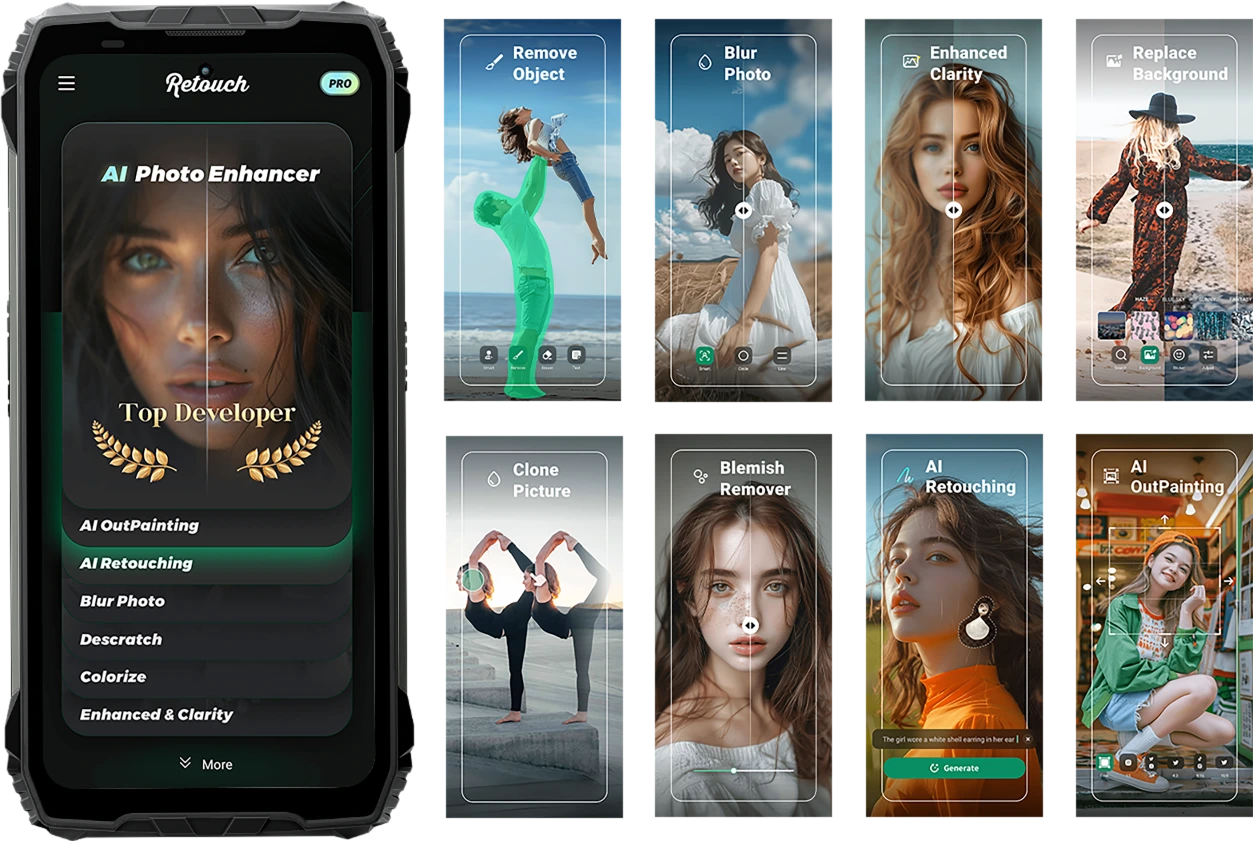
ImageX
18種類のAI編集ツールで、何気ないショットが美しいビジュアルに。補正、スタイリングを加えて、そのままシェアできます。
業界唯一の自社開発
VidGen
テキストから動画、画像からストーリーまで、AIがアイデアを簡単にVlogやショート動画、魅力的なストーリーに仕上げます。

業界唯一の自社開発
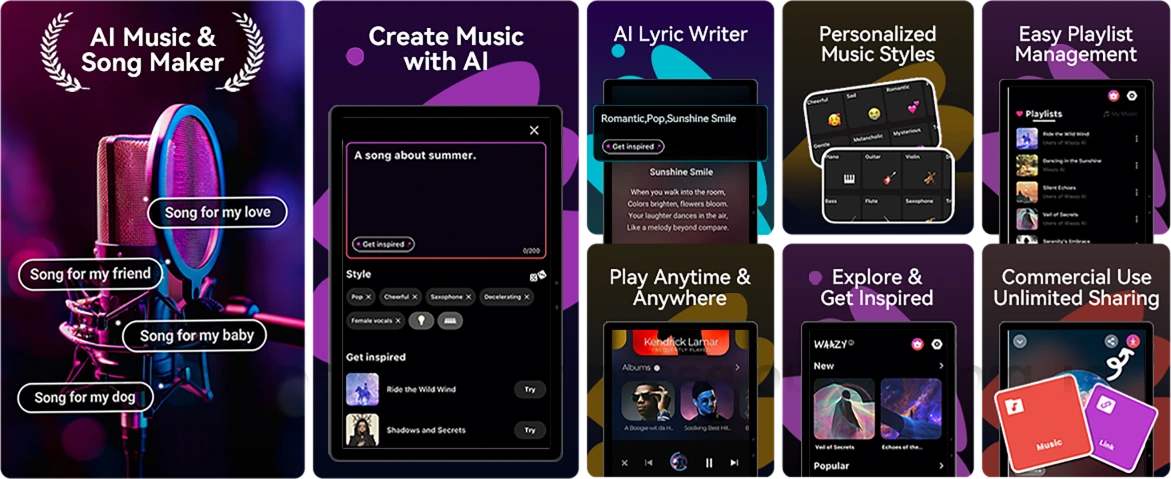
Soundle
気分を入力するだけで、AIが作曲します。ロマンチックなメロディーからエネルギッシュなビートまで、あなただけの音楽をお届けします。
業界唯一の自社開発
Android 15ベースのまったく新しいDokeOS 4.2
よりスマートに。より速く。より安全に。もっと自分らしく。
XPLORE 2は、速度、効率、プライバシー、そして無限のカスタマイズ性でパフォーマンスを再定義します。31
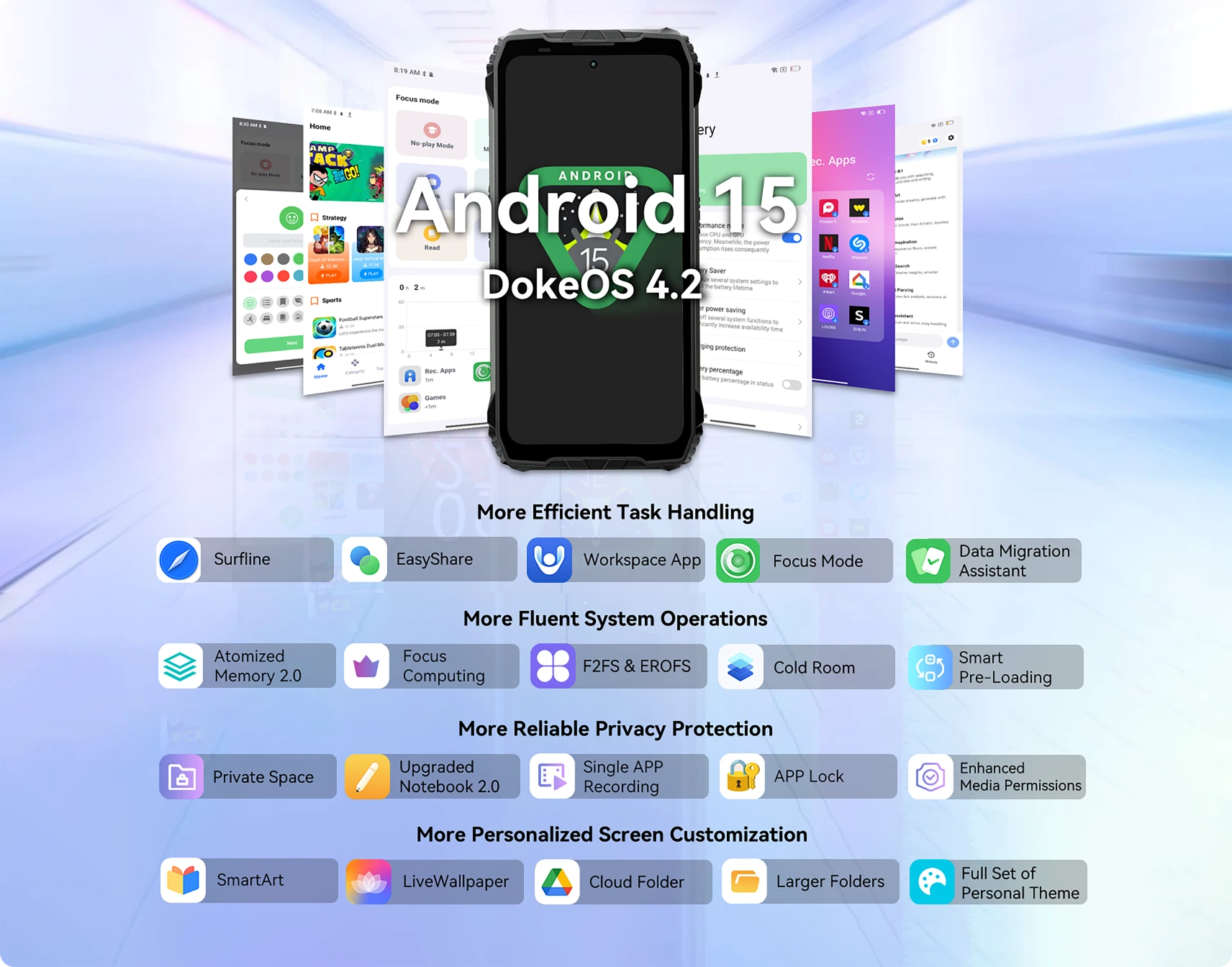
あらゆるシーンに対応するスマートなアップグレード

4衛星システム
高精度測位で位置を正確に把握。どんな環境でも1メートルの測位精度を実現。32
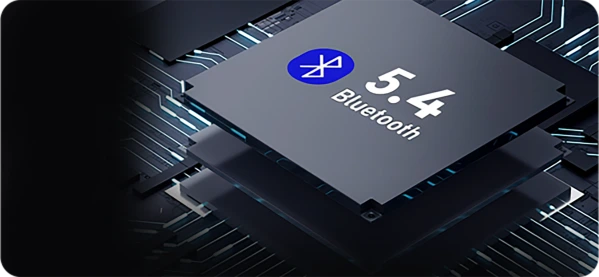
最新のワイヤレスBT 5.4
ファイル転送を50%高速化し、より強力な接続で、あらゆるデバイスとシームレスにペアリング。34
高精度ジャイロスコープ
正確にナビゲート。ARで正確に測定。あらゆる動きをよりスムーズに。
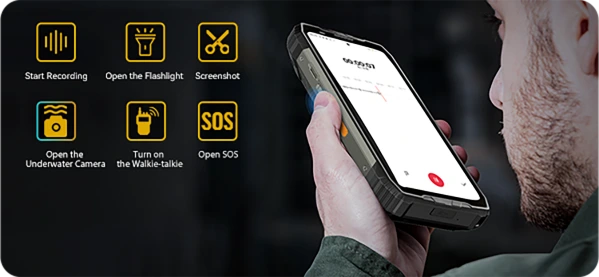
カスタムショートカットボタン
必要な機能をワンプレスで。
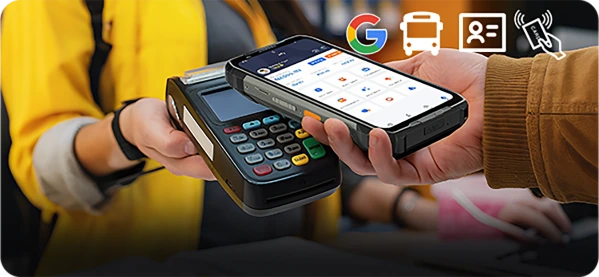
あらゆるシーンに対応するNFC
タップひとつで、決済からアクセスカードまで。35
業界唯一のアフターサービス保証
迅速なサポート。長期アップデート。万全の安心。36
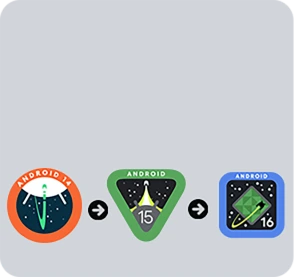
Android OSアップデートを3年間提供
長期にわたる、最新のサポート

コールセンターサポート
必要なときに直接電話でサポート

24時間年中無休のオンラインサービス
昼夜を問わずすぐにサポート

信頼できる修理センター
信頼できる安心のオフラインサービス
Blackview XPLORE 2の仕様
| モデル | XPLORE 2 |
| カラー | ブラック |
| サイズ | 186 * 87.8 * 29mm |
| 重量 | 670g |
| OS | Android 15ベースのDokeOS 4.2 |
| ディスプレイ | 6.73インチ3.2K AMOLEDディスプレイ、解像度1440 * 3200、Corning® Gorilla® Glass 5、リフレッシュレート120Hz |
| CPU | オクタコア5G MediaTek Dimensity 8300、4nm、最大3.35GHz |
| RAM & ROM | 12GB RAM & 256GB ROM、LPDDR5X+UFS4.0 16GB RAM & 1TB ROM、LPDDR5X+UFS4.0 |
| TFカード拡張 | 最大2TBのTFカード拡張 |
| バッテリー | 20,000mAh;120Wハイパー急速充電 |
| フロントカメラ | 50MP |
| リアカメラ | 50MPメインカメラ+20MPナイトビジョンカメラ |
| スピーカー | デュアルSmart-K BOXスピーカー |
| 耐久性能 | IP68 & IP69K & MIL-STD-810H |
| ナビゲーション | L1+L5 GPS/GLONASS/BeiDou/Galileo |
| カードスロット | デュアル:SIMカード2枚/SIMカード1枚+TFカード1枚 |
| NFC | 対応 |
| デュアル5G VoLTE | 対応 |
| Wi-Fi&Bluetooth | Wi-Fi 6E;BT 5.4 |
| ネットワーク接続 | 2Gバンド:B2/B3/B5/B8 3Gバンド:WCDMA:B1/B2/B4/B5/B6/B8/B19(RXD) CDMA:BC0 4Gバンド:TDD:B34/B38/B39/B40/B41 FDD:B1/2/3/4/5/7/8/12/13/17/18/19/20/25/26/28A/28B/30/66 5Gバンド:N1/3/5/7/8/20/28/38/40/41/77/78/79 |
Blackviewラボのデータに基づいています。精密電子機器のため、落下するとスマートフォンが損傷する場合があります。本体を落としたり、ぶつけたりしないでください。実際の性能は、使用環境、落下角度、表面素材によって異なる場合があります。実際の使用感をご確認ください。
Blackviewラボのデータに基づいています。精密電子機器のため、強い圧力がかかるとスマートフォンが損傷する場合があります。本体を押しつぶしたり、ぶつけたりしないでください。
3.データはCorningの研究所から提供されたもので、Gorilla® Glass 5と一般的なソーダ石灰ガラスを比較しています。管理された条件下で、Gorilla® Glass 5は優れた性能を示します。
4.XPLORE 2は、通常の使用条件下で水しぶき、水、ほこりに耐え、管理された研究所の条件下でIP69KおよびIP68等級を取得しています。保護性能は永久に続くものではなく、端末の経年劣化、使用習慣、環境要因によって実際の結果は異なる場合があります。濡れた状態でスマートフォンを充電しないでください。
5.音波振動を利用してスピーカーからほこりや水を取り除き、通話の明瞭さと通常のオーディオ性能の維持をサポートします。清掃効果は、ほこりや水の蓄積状況、使用環境によって異なる場合があります。実際の使用感をご確認ください。
6.タッチ操作の使用感は、雨量、使用状況、個人の使用習慣によって異なる場合があります。実際の使用感をご確認ください。
7.データはBlackview研究所のものです。明るさは、ウルトラブライト467lm、ハイブライト368lm、ローブライト236lmの3段階です。
8.赤外線リモコン機能は理論上、ほとんどの赤外線制御機器に対応しますが、実際の互換性は機種や環境によって異なる場合があります。実際の使用環境では性能が異なる場合があります。
9.従来のデュアル1Wスピーカーとの性能比較は、製品の技術的特徴を評価したシミュレーションによる研究所のテスト結果に基づいています。実際の結果は、使用環境、端末のモデル、技術的な設定によって異なる場合があります。
10.デュアル1Wスピーカーと比較して、音圧レベルは約5dB上昇します。オーディオ性能は、使用状況、音源の品質、周囲の騒音によって異なる場合があります。実際の使用感をご確認ください。
11.デュアル1Wスピーカーと比較して、人の聴覚における音量の向上は約50%です。具体的なオーディオ性能は実際の使用感によります。
12.ピーク輝度は2600ニトに達し、グローバル有効化時の輝度は1300ニトです。特定の状況でのみ有効です。通常の手動輝度は500ニトです。実際の使用感は使用状況によって異なります。
13.DCI-P3広色域ディスプレイを最適な効果でお楽しみいただくには、対応する画像・動画ソースが必要です。
14.画面は120Hzの可変リフレッシュレートに対応しています。アプリの画面やゲームの状況によって、リフレッシュレートは多少異なる場合があります。実際の使用感をご確認ください。
15.データは、管理された条件下でBlackviewの研究所が実施したテストに基づいています。照明、シーンの複雑さ、端末の設定などの要因により、実際の性能は異なる場合があります。
データはBlackviewラボの理論上のテストに基づき、Blackview XPLORE 1との比較を行っています。実際の性能は、システムの最適化、アプリの負荷、ネットワーク環境の影響を受ける場合があります。実際の使用感をご確認ください。
データはBlackviewラボの理論上のテストに基づき、Blackview XPLORE 1との比較を行っています。実際の性能は、システムの最適化、アプリの負荷、ネットワーク環境によって異なる場合があります。実際の使用感をご確認ください。
データはBlackviewラボの理論上のテストに基づき、Blackview XPLORE 1との比較を行っています。総合的な性能は、システムの最適化、アプリの負荷、ネットワーク環境によって異なる場合があります。実際の使用感をご確認ください。
データは、標準化されたテスト条件下でBlackviewラボが取得したもので、Blackview XPLORE 1との比較に基づいています。具体的な性能は、実際の使用状況によって異なる場合があります。
データは、標準化されたテスト条件下でBlackviewラボが取得したもので、Blackview XPLORE 1との比較に基づいています。具体的な性能は、実際の使用状況によって異なる場合があります。
データは、Blackviewラボで管理された条件下で実施したテストに基づいています。実際の性能は、アプリの種類、システム設定、バックグラウンドプロセスなどの要因によって異なる場合があります。
データはBlackviewラボの提供によるもので、Blackview XPLORE 1との比較に基づいています。
データはBlackviewラボの理論上のテストに基づき、Blackview XPLORE 1との比較を行っています。実際の速度は、使用状況によって異なる場合があります。
データはBlackviewラボの提供によるもので、WiFi 5との比較に基づいています。実際の使用感は、環境やデバイスの要因によって異なる場合があります。
記載されているネットワーク速度は理論上の最大値です。実際の速度は、ネットワークの状態、通信事業者の対応状況、デバイスの設定など、さまざまな要因によって異なる場合があります。性能は実際の使用環境によって異なります。
最大800回の完全充電サイクルに対応します。実際の性能は、使用パターン、環境要因、デバイスのメンテナンス状況などによって異なる場合があります。
27.すべての使用時間は、Blackview研究所の試験機で実施したテストに基づいています。実際の性能は、使用する場面、アプリの負荷、ネットワーク状況、個人の習慣によって異なる場合があります。
28.充電速度は、充電器、充電ケーブル、電圧、周囲の温度によって異なる場合があります。実際の使用状況をご確認ください。
29.Blackview研究所のデータ。Blackview XPLORE 1との比較です。
30.Doke AIは30日間の無料トライアルに対応しています。AI機能の効果は、使用する場面、入力内容、個人の習慣によって異なる場合があります。実際の使用感をご確認ください。
31.機能はOTAアップデートにより継続的に改善されます。実際の使用感をご確認ください。
32.Blackview研究所のデータです。位置測位の精度は、環境内の障害物や干渉、マルチパスの影響により異なる場合があります。実際の使用感をご確認ください。
33.Blackview研究所のデータ。Blackview XPLORE 1との比較です。
34.具体的な使用効果は、カードの種類、暗号化方式、デバイスの互換性によって異なる場合があります。暗号化されたアクセスカードはサポートされない場合があり、決済機能の利用にはパスワードや認証が必要な場合があります。実際の使用感をご確認ください。
35.具体的なサービス内容は、地域ごとの方針や修理センターの対応能力によって異なる場合があります。実際の状況をご確認ください。
*写真モードと動画モードでは、画素数が異なる場合があります。実際の状況をご確認ください。
*上記ページの製品画像や画面表示はイメージです。実際の製品の状態(外観、色、サイズなどを含みますが、これらに限りません)や画面表示(背景、UI、イラストなどを含みますが、これらに限りません)は多少異なる場合があります。実際の製品をご確認ください。
*上記ページのデータは、特定のテスト環境(各項目の詳細な説明をご参照ください)で取得したBlackview研究所の理論値です。製品ごとの個体差、ソフトウェアのバージョン、使用状況、環境要因により、実際の使用時には多少異なる場合があります。実際の使用状況をご確認ください。
*製品のロットや生産・供給状況がリアルタイムで変化するため、Blackviewは実際の製品の性能、仕様、指標、部品をできる限り正確に反映するよう、上記ページのテキスト説明や画像表現を調整・改訂する場合があります。
*このような変更や調整が必要な場合でも、特別なお知らせはありません。
| モデル | XPLORE 2 |
| 色 | ブラック |
| 寸法 | 186 * 87.8 * 29mm |
| 重量 | 670g |
| OS | Android 15ベースのDokeOS 4.2 |
| 表示 | 6.73インチ3.2K AMOLEDディスプレイ、1440 * 3200解像度、 Corning® Gorilla® Glass 5、120Hzリフレッシュレート |
| CPU | オクタコア5G MediaTek Dimensity 8300、4nm、最大3.35GHz |
| RAM&ROM | 12GB RAM&256GB ROM、LPDDR5X+UFS4.0 16GB RAM&1TB ROM、LPDDR5X+UFS4.0 |
| TF拡張 | 最大2TB TF拡張 |
| バッテリー | 20,000mAh; 120Wハイパーファスト充電 |
| フロントカメラ | 50MP |
| リアカメラ | 50MPメイン+20MPナイトビジョン |
| スピーカー | デュアルスマート-K BOXスピーカー |
| 堅牢性評価 | IP68&IP69K&MIL-STD-810H |
| ナビゲーション | L1+L5 GPS/GLONASS/BeiDou/Galileo |
| カードスロット | デュアル: 2*SIM/1*SIM +1*TFカード |
| NFC | サポート |
| デュアル5G VoLTE | サポート |
| Wi-Fi&Bluetooth | Wi-Fi6E; BT 5.4 |
| ネットワーク接続 | 2Gバンド: B2/B3/B5/B8 3Gバンド: WCDMA: B1/B2/B4/B5/B6/B8/B19 (RXD) CDMA: BC0 4Gバンド: TDD: B34/B38/B39/B40/B41 FDD: B1/2/3/4/5/7/8/12/13/17/18/19/20/25/26/28A/28B/30/66 5Gバンド: N1/3/5/7/8/20/28/38/40/41/77/78/79 |
• EUパッケージ:電源アダプターは含まれていません
• 非EUパッケージ:電源アダプターが含まれています

How can I check whether the Blackview XPLORE 2 is compatible with my mobile carrier?
The Blackview XPLORE 2 supports 2G, 3G, 4G LTE, and 5G networks. Before purchasing, please check that the network bands supported by the XPLORE 2 match those used by your mobile network operator. First, identify which networks you use, then check the supported network bands in the specifications section of the product details page.
Alternatively, you can contact your mobile network operator to enquire whether this handset supports voice calls, text messages, and mobile data services via a SIM card. This will help you determine whether it is compatible. Please note that the availability of 4G or 5G services also depends on your operator’s network coverage, your mobile plan, and the operator’s support for this handset.
Does the Blackview XPLORE 2 support eSIM, and how do I activate it?
Yes. The Blackview XPLORE 2 series supports eSIM, allowing you to activate a mobile plan online without inserting a physical SIM card. To use this feature, you will need to register for the eSIM service with a mobile network operator or service provider that supports the XPLORE 2.
Before registering, please check whether this service is available in your region and whether it includes all the features you require. Some eSIM plans offer mobile data only, whilst others also include voice calls and text messaging. Ask your service provider for instructions on how to activate the service.
How long does the Blackview XPLORE 2’s 20,000mAh battery last with everyday use?
In laboratory testing, the Blackview XPLORE 2’s 20,000mAh battery delivered more than 36 hours of heavy use, making it well suited to long workdays and outdoor activities. Actual battery life varies depending on how much time you spend on calls, navigation, browsing, and entertainment.
Keeping navigation running on screen throughout the day uses more power than occasionally checking directions or replying to messages. Gaming and high screen brightness also drain the battery faster. Before a longer trip, try using the phone as you normally would for a day to get a better idea of how long a charge will last for you. This can help you decide whether to bring a power bank.
Should I choose the Blackview XPLORE 2 with 12GB RAM and 256GB storage or 16GB RAM and 1TB storage?
The 12GB/256GB version is suitable for everyday use, photography, navigation, and gaming. If you frequently use large apps or prefer to store more large games, videos, and work files, we recommend the 16GB/1TB version.
You can base your decision on your storage habits. If you regularly back up your photos and clear out junk files, 256GB should be sufficient. Conversely, if you prefer to keep everything—such as downloaded films and offline maps—1TB would be more suitable, as you won’t need to free up space as frequently.
How does the Blackview XPLORE 2 perform in demanding games like Genshin Impact?
Yes, you can play demanding games such as Genshin Impact on the Blackview XPLORE 2. Its Dimensity 8300 processor and LPDDR5X RAM enable it to handle these games and deliver smooth gameplay with appropriate graphics settings. It is recommended to start with medium graphics settings, which offer a better balance of image quality and responsiveness.
Higher graphics settings and extended play sessions may result in occasional drops in frame rate, particularly in complex scenes or when the device is warm. Should this occur, reducing the graphics quality can help maintain smoother gameplay. However, a consistent frame rate or the complete absence of stuttering cannot be guaranteed.
Is the Blackview XPLORE 2’s camera suitable for quick snapshots and moving subjects?
Yes. The XPLORE 2’s 50-megapixel main camera is ideal for everyday snapshots, such as moments in family life or work scenes. The optical image stabilisation feature helps reduce camera shake, whilst the motion tracking function ensures moving objects remain sharply in focus at all times.
When photographing children, pets, or other moving subjects, it is advisable to shoot in well-lit conditions and ensure the subject remains within the frame at all times. In low light, ask the subject to pause briefly; This will yield better results than adjusting the camera settings. The image stabilisation feature effectively minimises hand shake, but cannot eliminate blurring caused by fast-moving subjects.
How do I turn on the Blackview XPLORE 2’s camping light, and what lighting modes are available?
The XPLORE 2’s camping light offers three modes: steady, flashing, and SOS. Steady mode is suitable for lighting while pitching a tent, searching for equipment, or during a power cut; flashing mode can attract the attention of people nearby; SOS mode lets you send a distress signal with the light.
When using the light, select the appropriate mode for the situation; switch it off when not in use to conserve battery power. Please note that SOS mode is merely a visible light signal; it does not automatically transmit your location or contact emergency services.
What can I use the Blackview XPLORE 2’s night vision camera for?
The 20-megapixel infrared night vision camera helps you observe and photograph your surroundings in the dark. When there is insufficient ambient light, you can use it to check around your tent, inspect unlit storage spaces, or capture details of your equipment.
The images produced by the night vision function are in black and white, not colour photographs. Its operating principle also differs from thermal imaging: you can see the outline of objects in the dark, but you cannot use it to measure temperature or identify hot or cold areas.
Can I replace the Blackview XPLORE 2’s battery myself?
If your XPLORE 2’s battery life isn’t as long as it used to be and you don’t want to buy a new phone, you can replace the battery. We recommend contacting Blackview’s after-sales team first to help determine whether the issue requires a battery replacement or a repair. If you find it more convenient or quicker to visit a local repair shop, be sure to ask the technician whether they are familiar with repairing rugged smartphones to ensure the phone functions correctly after repair.
Alternatively, if you are a qualified repair technician or have the relevant experience and tools, you may purchase a suitable battery and replace it yourself. Before replacing the battery, please ensure it is compatible and that you can reassemble and reseal the phone correctly. Please note that opening the phone will affect its water resistance, and any damage caused during unauthorised repairs will not be covered by the Blackview warranty.
What are the differences between the Blackview XPLORE 2 Standard, Satellite, and Projector versions?
The Blackview XPLORE 2 Standard is primarily designed for everyday tasks. The Satellite Edition adds messaging capabilities in supported areas without mobile network coverage, whilst the Projector Edition allows you to watch films at your campsite or share presentations on a wall or screen. The table below outlines their main differences.
| Feature | XPLORE 2 Standard | XPLORE 2 Satellite | XPLORE 2 Projector |
|---|---|---|---|
| eSIM support | Yes | Yes | Yes |
| Satellite messaging | No | Yes—voice, text, and location messages* | No |
| Built-in projector | No | No | 100 lumens; 854 × 480 resolution; up to 100″ |
| Processor | MediaTek Dimensity 8300 | MediaTek Dimensity 8300 | MediaTek Dimensity 8300 |
| RAM / Storage | 12GB / 256GB or 16GB / 1TB | 12GB / 256GB or 16GB / 1TB | 12GB / 256GB or 16GB / 1TB |
| Battery / Charging | 20,000mAh / Up to 120W wired | 20,000mAh / Up to 120W wired | 20,000mAh / Up to 120W wired |
| Weight / Dimensions | 670g / 186 × 87.8 × 29mm | 675g / 186 × 87.8 × 29mm | 710g / 186 × 87.8 × 29mm |
| Best suited for | Everyday work and outdoor activities | Remote work and exploration beyond mobile coverage | Movies, camping entertainment, and presentations |
What software updates are available for the Blackview XPLORE 2, and how do I install them?
The XPLORE 2 comes pre-installed with DokeOS 4.2, based on Android 15, and offers three years of Android operating system update support. This refers to the support period, not a guaranteed number of major Android version upgrades.
When your phone notifies you that an update is available, connect to Wi-Fi and follow the on-screen instructions to install it. Before starting the update, we recommend backing up important files and ensuring the battery is sufficiently charged. If the installation fails, please send the error message and the current software version to Blackview Customer Service so that we can assist you with the next steps.
What warranty and after-sales services are available for the Blackview XPLORE 2 purchased from the official shop?
If you have purchased the XPLORE 2 from the official Blackview store, you are entitled to a 12-month repair warranty covering eligible faults. Should your mobile phone fail to function properly, please provide your order number and a brief description of the issue to our official customer service team. Attaching photographs or videos will help us understand the problem and provide more useful troubleshooting advice.
If repairs are required, please contact us before posting the phone so that we can confirm the relevant arrangements. For approved warranty repairs, you will be responsible for the cost of returning the phone, whilst Blackview will cover the cost of returning the repaired device. Damage caused by improper use is not covered by the free repair service; Please check with our team in advance if any repair costs are incurred.
Can I use the Blackview XPLORE 2 Projector to watch movies at home or while camping?
Yes. The XPLORE 2 projector allows you to turn any suitable wall or portable screen into a cinema. It supports a maximum screen size of 100 inches, with a brightness of 100 lumens and a resolution of 854 × 480.
For a family film night, we recommend a dimly lit room or watching after dark, using a smooth, light-coloured surface. If the image appears too dark, you can reduce the image size or dim the surrounding lights. Before going camping, download films onto your mobile phone in advance to avoid issues with unstable network signals at your campsite.
How do I turn on the projector on the Blackview XPLORE 2 Projector and adjust the image for a clear picture?
Once the projection function is enabled, point the lens at a flat surface and turn the physical focus knob until the text and edges appear clear and sharp. When the phone is projecting at an upward or downward angle, the automatic vertical keystone correction feature helps to correct the image.
Place the phone on a stable coffee table or desk, facing the centre of the viewing area. Move the phone closer to produce a smaller image, or further away to produce a larger one, then refocus. If the image remains blurry, try dimming the surrounding lights first, then increase the projection size.
Where are satellite services available for the Blackview XPLORE 2 Satellite, and do they require a subscription?
The Blackview XPLORE 2 Satellite service covers satellite messaging in 36 countries across regions including Australia and New Zealand. If you are unsure whether the service is available in your area before purchasing, please contact the Blackview customer service team and let us know where you plan to use it, so that we can help you check whether that location is supported.
Satellite messaging is a paid service separate from standard mobile plans. Before travelling to areas without mobile coverage, please check the available plans, text message limits, and activation requirements, and complete the setup in advance.
Jump to another section